

Workspace Architecture & Organization Switching
WaanKit is built on a multi-tenant workspace architecture that enables a single account (one email address) to belong to, collaborate with, or own multiple independent companies or brands without requiring multiple user logins.
1. The Workspace Concept
Each Workspace functions as an isolated digital environment for a specific business or store. Data is strictly separated across the following boundaries:
- Links & Pages: Dynamic QR codes, short links, and mobile landing pages.
- Analytics Data: Real-time scan metrics, visitor analytics, and behavioral logs.
- Team Members & Roles: Staff rosters and granular role permissions.
- Branches & Locations: Branch hierarchies, physical zones, and service desks.
- Billing & Quotas: Subscription plans, resource quotas, and billing records.
[!NOTE] Your Default Workspace: Upon registration, WaanKit automatically creates your first workspace and assigns your account as the Owner.
2. Switching Between Workspaces
When collaborating across multiple companies or managing separate business entities, you can switch workspaces using either of two methods:
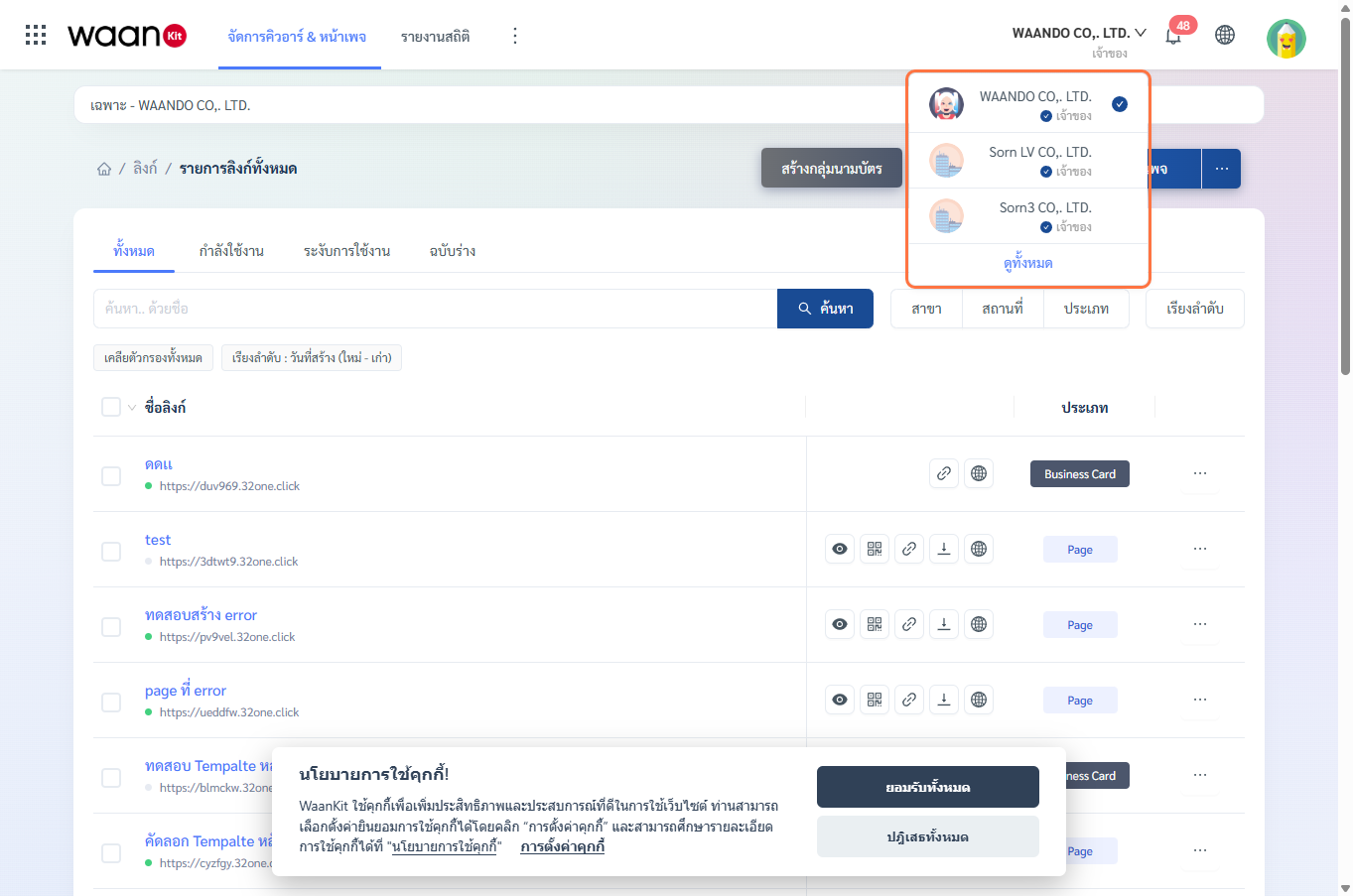
Method 1: Quick Switch via Top Header
- Click on the Current Company Name in the top-right header navigation.
- Select your desired organization from the dropdown list.
- The console context updates immediately, loading the target workspace without requiring a re-login.
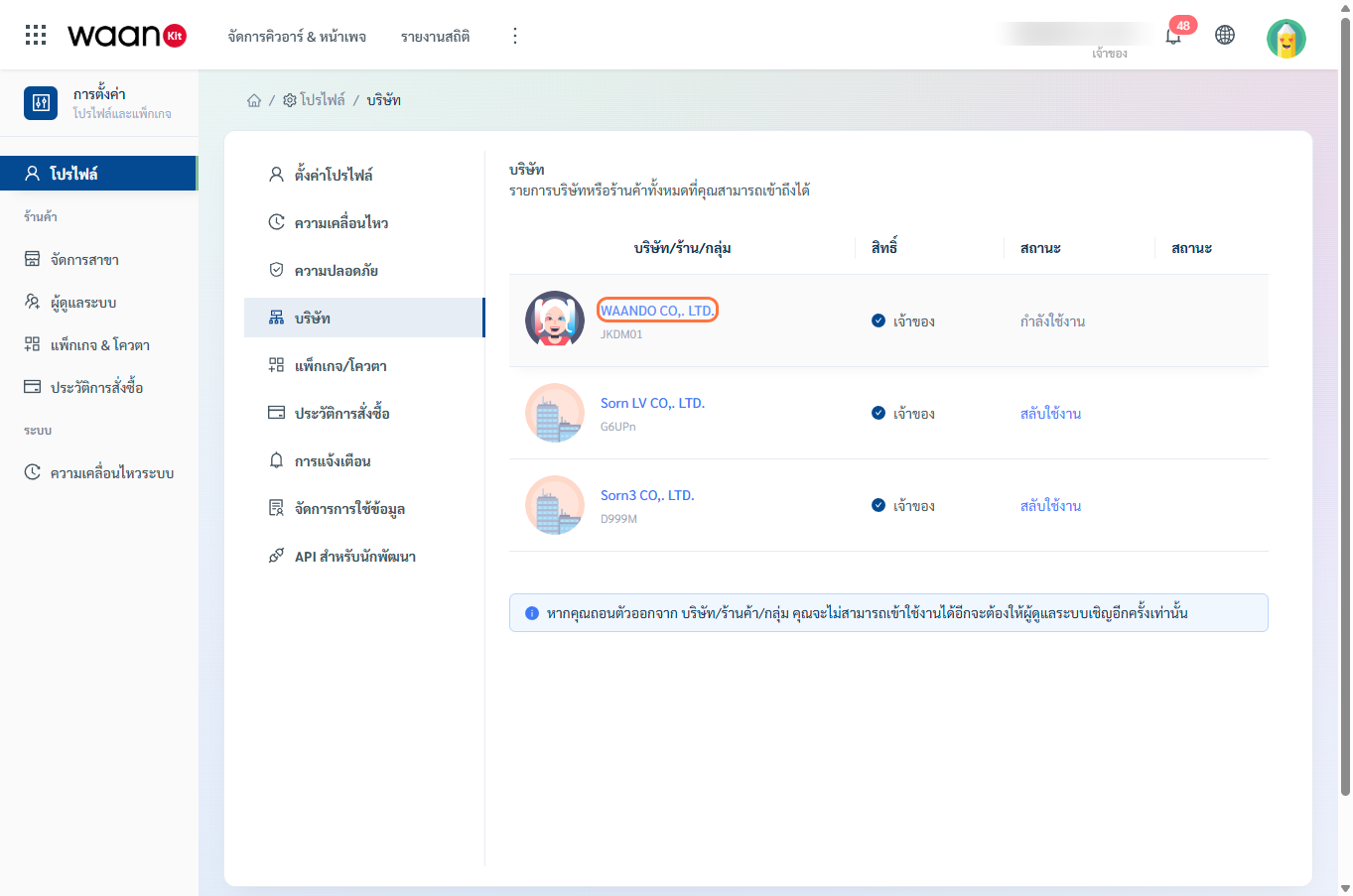
Method 2: Via the Company Management Page
- Click your profile avatar in the top-right corner and select "Account Settings".
- Navigate to "Company" (
/app/profile/company) from the sidebar menu. - Locate the target company and click "Switch" in the status column.
3. Related Resources
- Learn how to update company profiles, upload branding assets, and transfer ownership in the Company & Workspace Management Guide.