

Order History & Invoices (Billing & Invoices)
The Billing History page (/app/profile/billing) records all subscription purchase orders and renewals, enabling financial teams to track payment status, audit transaction amounts, and manage accounting documentation.
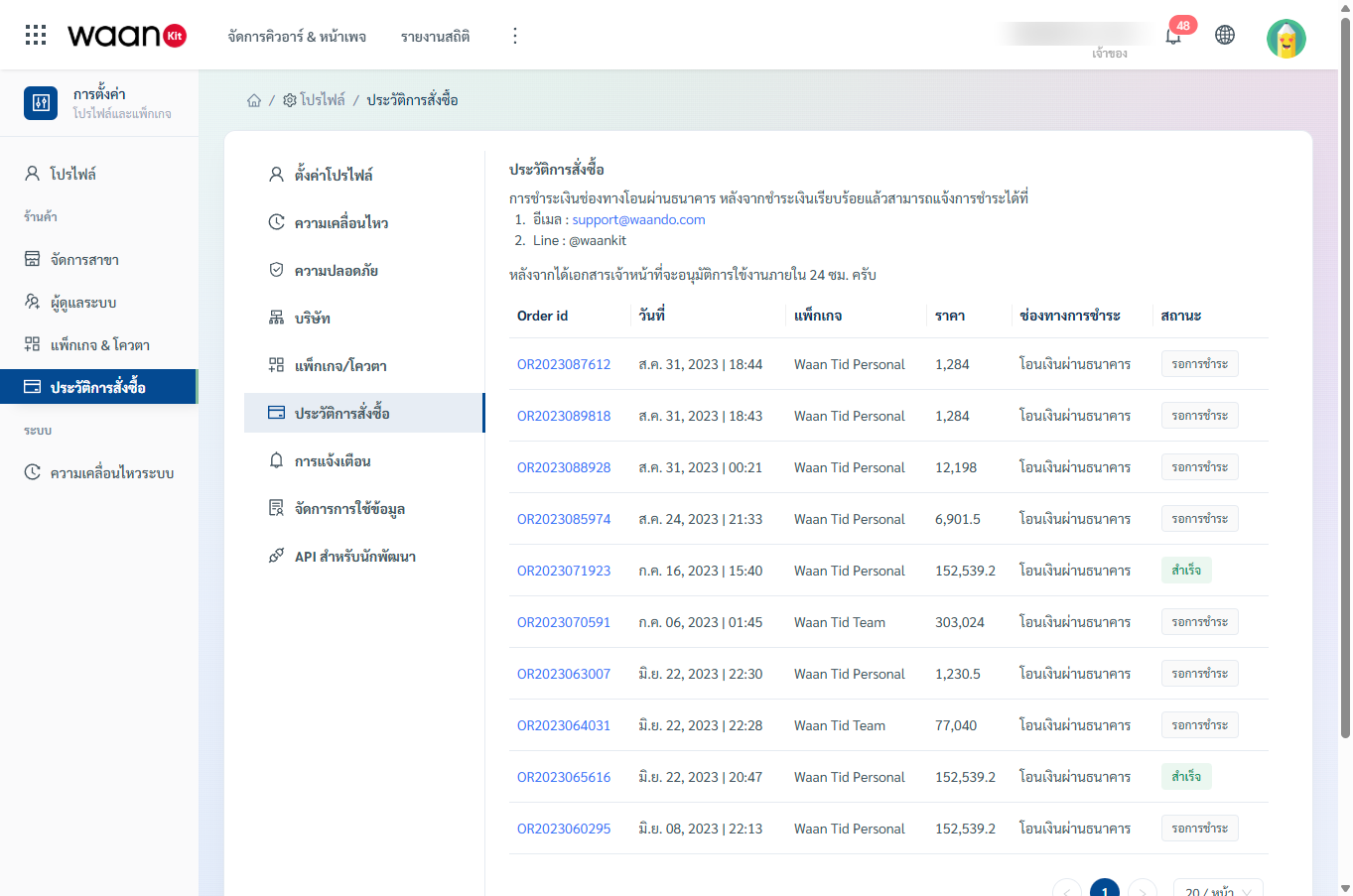
1. Order History Table Overview
| Column | Description |
|---|---|
| Order ID | Unique transaction identifier (Clickable to open detailed invoice drawer) |
| Date | Date and time the order was placed |
| Package | Name of the purchased subscription tier (e.g., WaanKit Starter, WaanKit Pro) |
| Price | Total net amount payable (THB) |
| Payment Method | Selected payment channel (e.g., Bank Transfer) |
| Status | Order fulfillment status: Pending Payment or Completed |
2. Viewing Order Details
- Click on any Order ID link (displayed in blue, e.g.,
OR2023087612).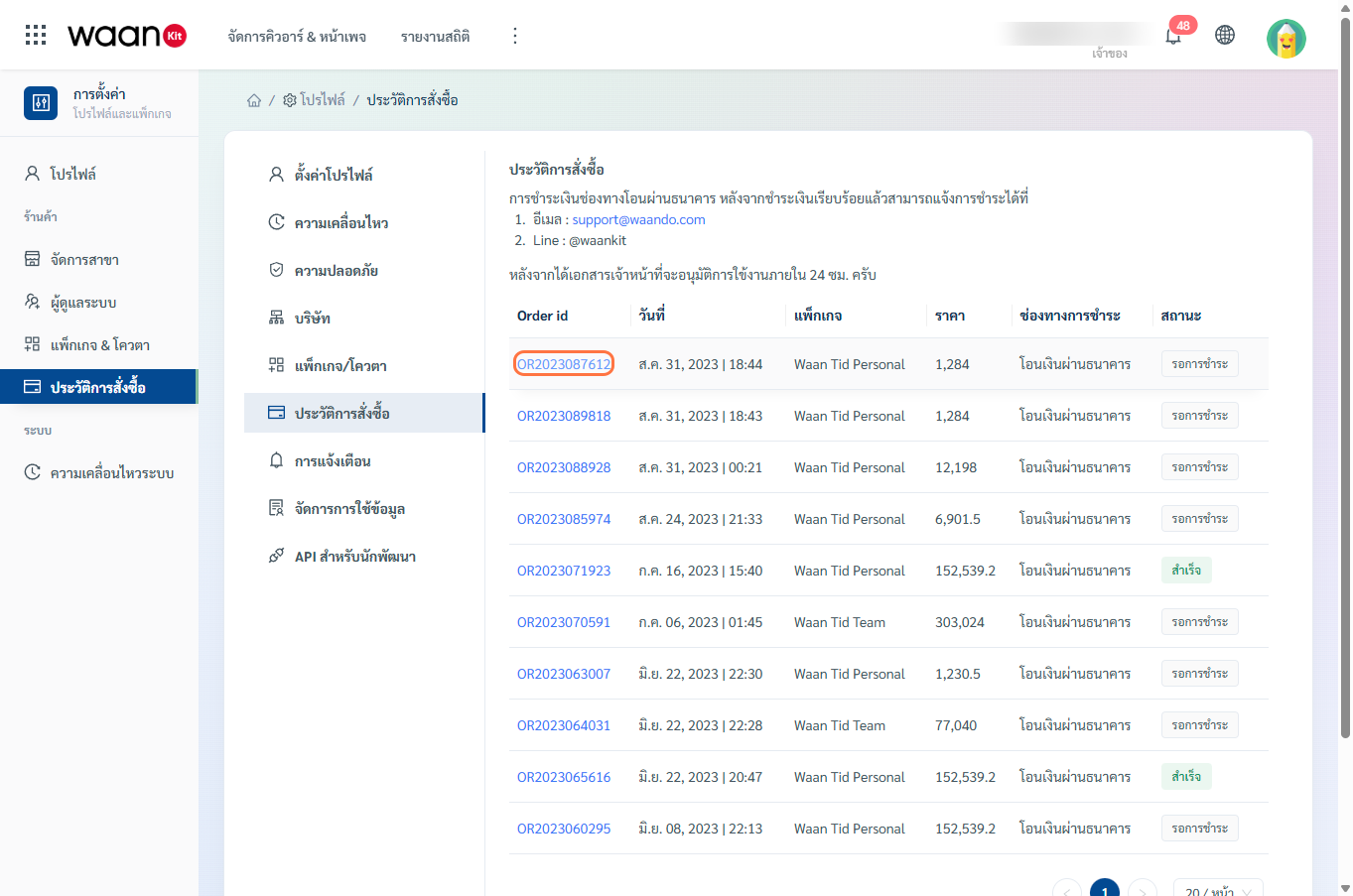
- A side drawer will slide in displaying full invoice breakdowns, billing address details, and payment instructions.
3. Bank Transfer Payment Confirmation
If you selected the Bank Transfer payment method, submit your transaction receipt/slip via either of the following official channels:
- Email: Forward your payment slip with Order ID to
[email protected] - LINE Official Account: Contact support directly via Line:
@waankit
Verification Turnaround: Following receipt verification by our finance team, your subscription package and quotas will be activated within 24 hours.