

Batch Tools & Parameter QR Generator
For enterprises, retail chains, and marketing agencies managing large-scale rollouts, WaanKit offers two high-efficiency batch generation tools:
- Batch Excel Import (Link Builder / Uploader): Bulk-create Short URLs and Dynamic QR Codes via spreadsheet upload.
- Batch Parameter QR Generator: Auto-generate sequential or custom query parameters appended to a single source link (e.g., dining tables 1-100 or staff affiliate codes).
1. Batch Excel Import (Link Builder Uploader)
Ideal when you have a list of distinct destination URLs requiring short links and customized QR codes in a single operation:
1.1 Step-by-Step Excel Import Workflow
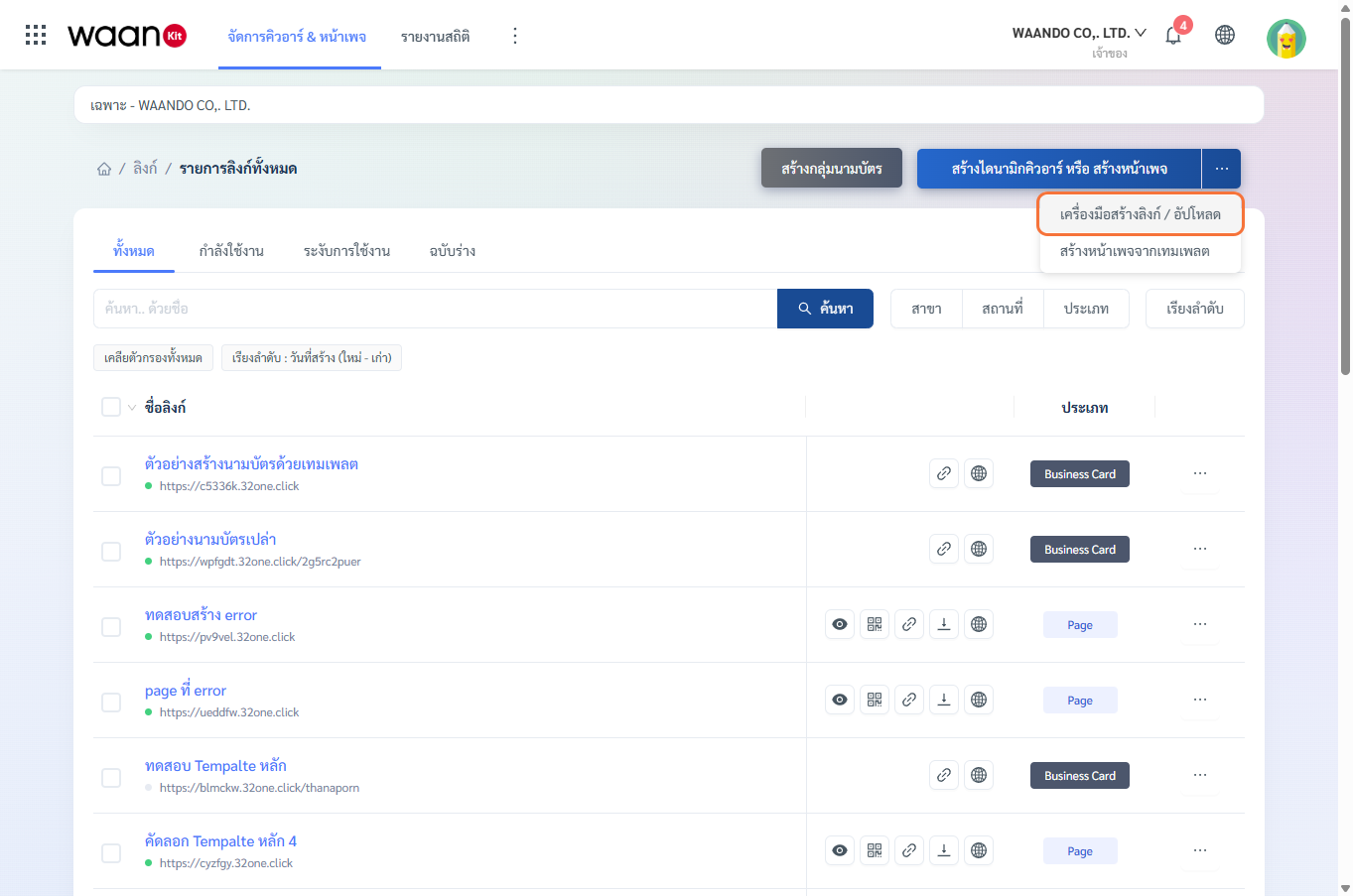
- On the All Links dashboard, click the
...dropdown beside the creation button and select "Link Builder / Uploader". - In Step 1, select "Upload File".
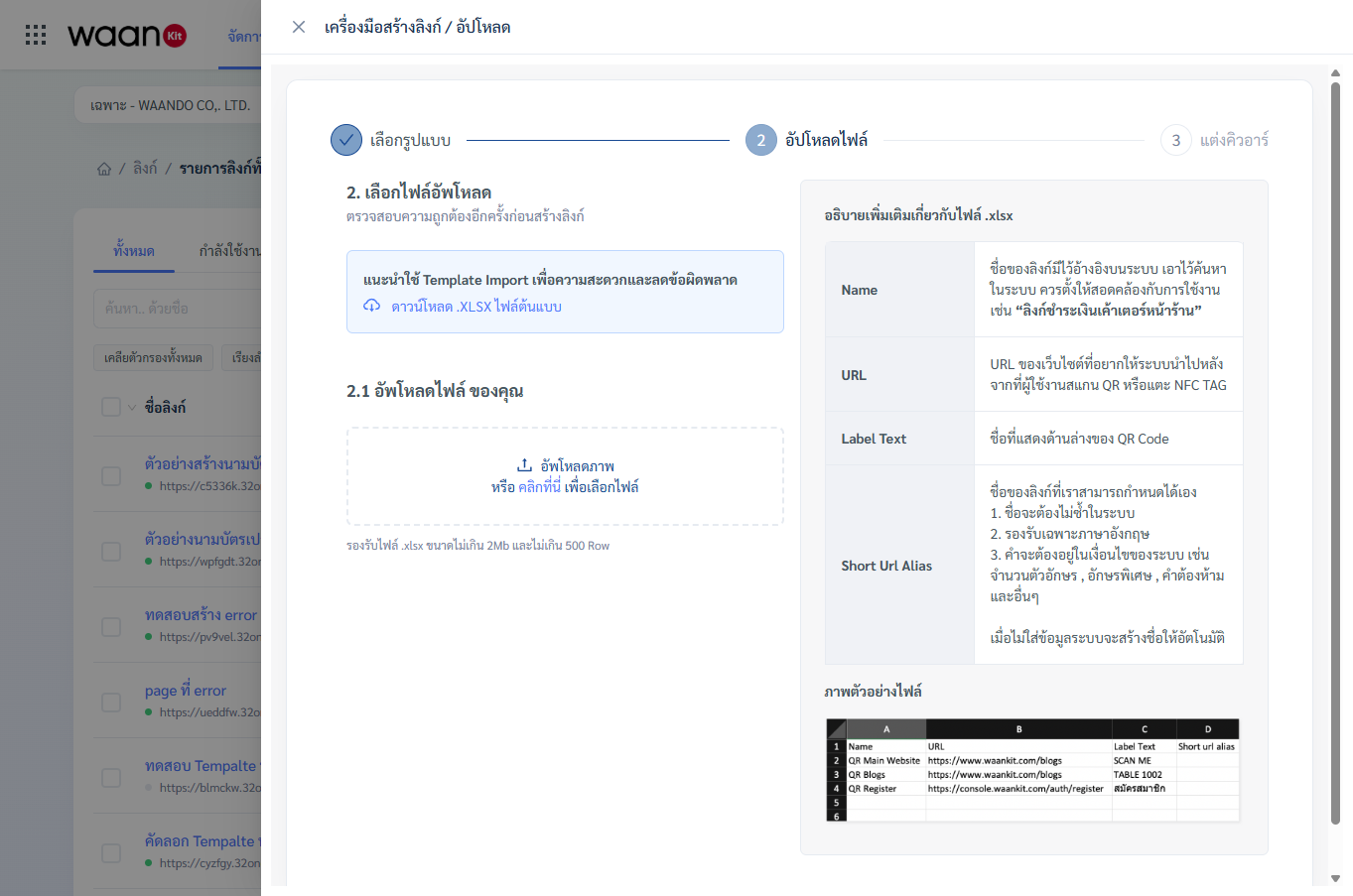
- Click "Download .XLSX Template" to receive the official spreadsheet template.
- Populate your records according to the column schema:
| Column Name (Header) | Requirement | Description | Example Data |
|---|---|---|---|
Name |
Required | Internal link name for management and search | Cashier 01 Payment Link |
URL |
Required | Destination URL when scanning QR or tapping NFC | https://mybrand.com/pay/c1 |
Label Text |
Optional | Text label printed directly below the QR Code | COUNTER 01 |
Short Url Alias |
Optional | Custom unique slug (alphanumeric without spaces) | pay-c1 |
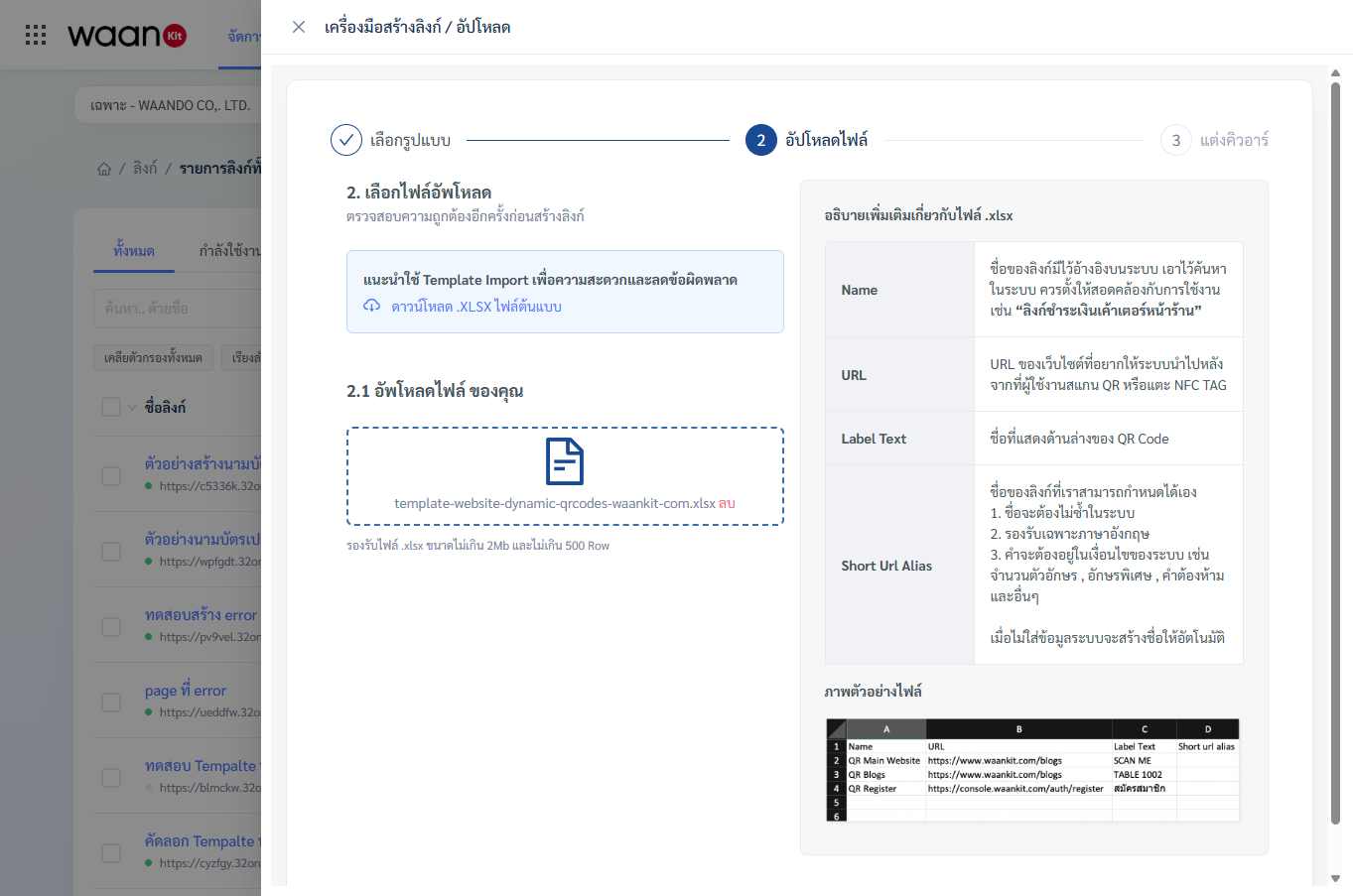
- Upload your
.xlsxfile (max 2MB, up to 500 rows per batch).
1.2 Data Verification & Error Codes
The system analyzes every row and presents an interactive verification table:
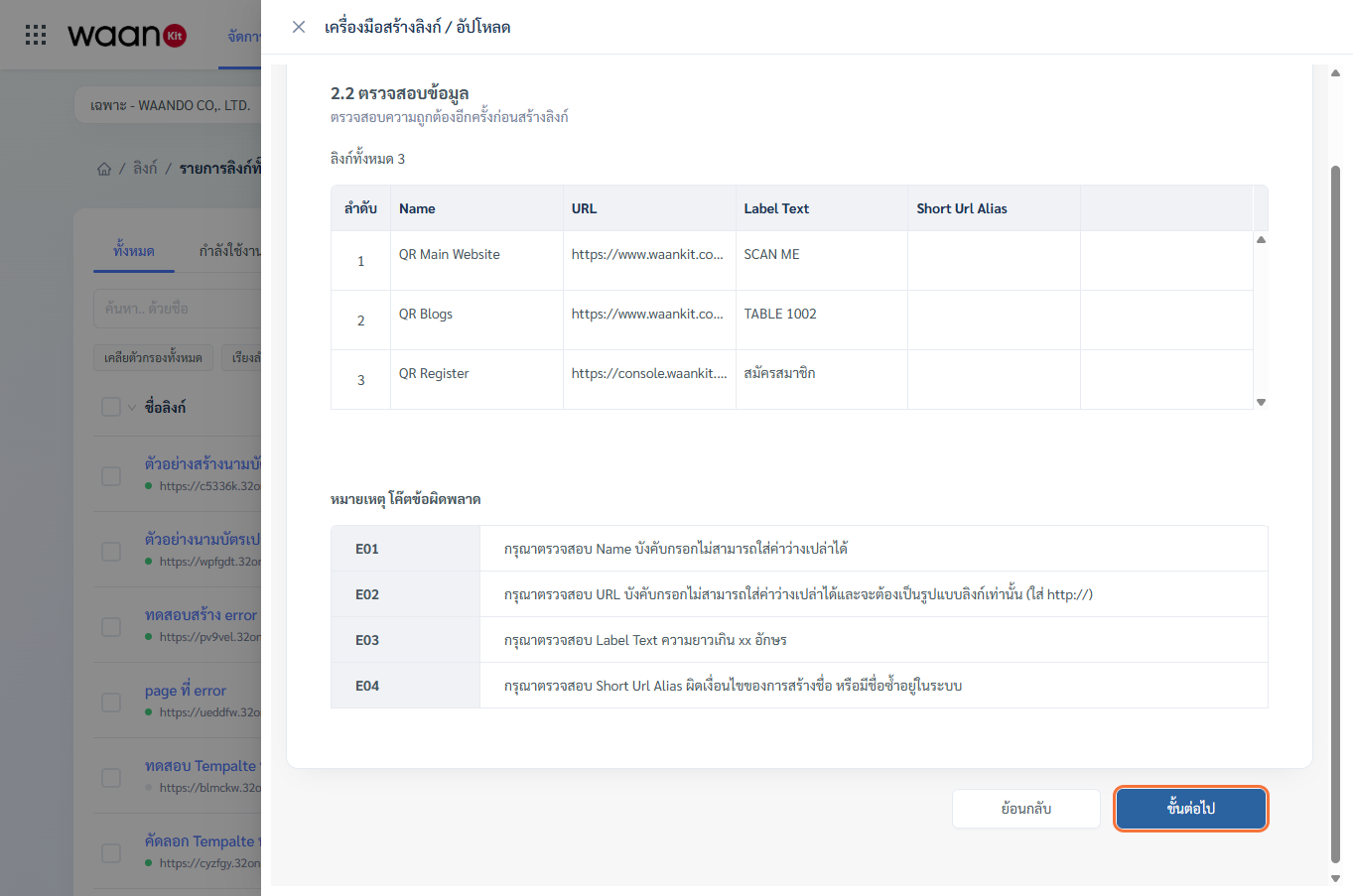
| Error Code | Cause | Corrective Action |
|---|---|---|
E01 |
Missing Name column value |
Fill in a descriptive name for that row |
E02 |
Missing or invalid URL format |
Ensure the URL begins with http:// or https:// |
E03 |
Label Text exceeds character limit |
Shorten the text displayed below the QR frame |
E04 |
Duplicate or invalid Short Url Alias |
Use alphanumeric characters (a-z, 0-9, -) |
E05 |
Package link quota exceeded | Delete obsolete links or upgrade your subscription |
- When all rows pass verification, click "Next Step".
- Customize the QR Code styling applied to all links in this batch.
- Click "Create Links" to process the batch.
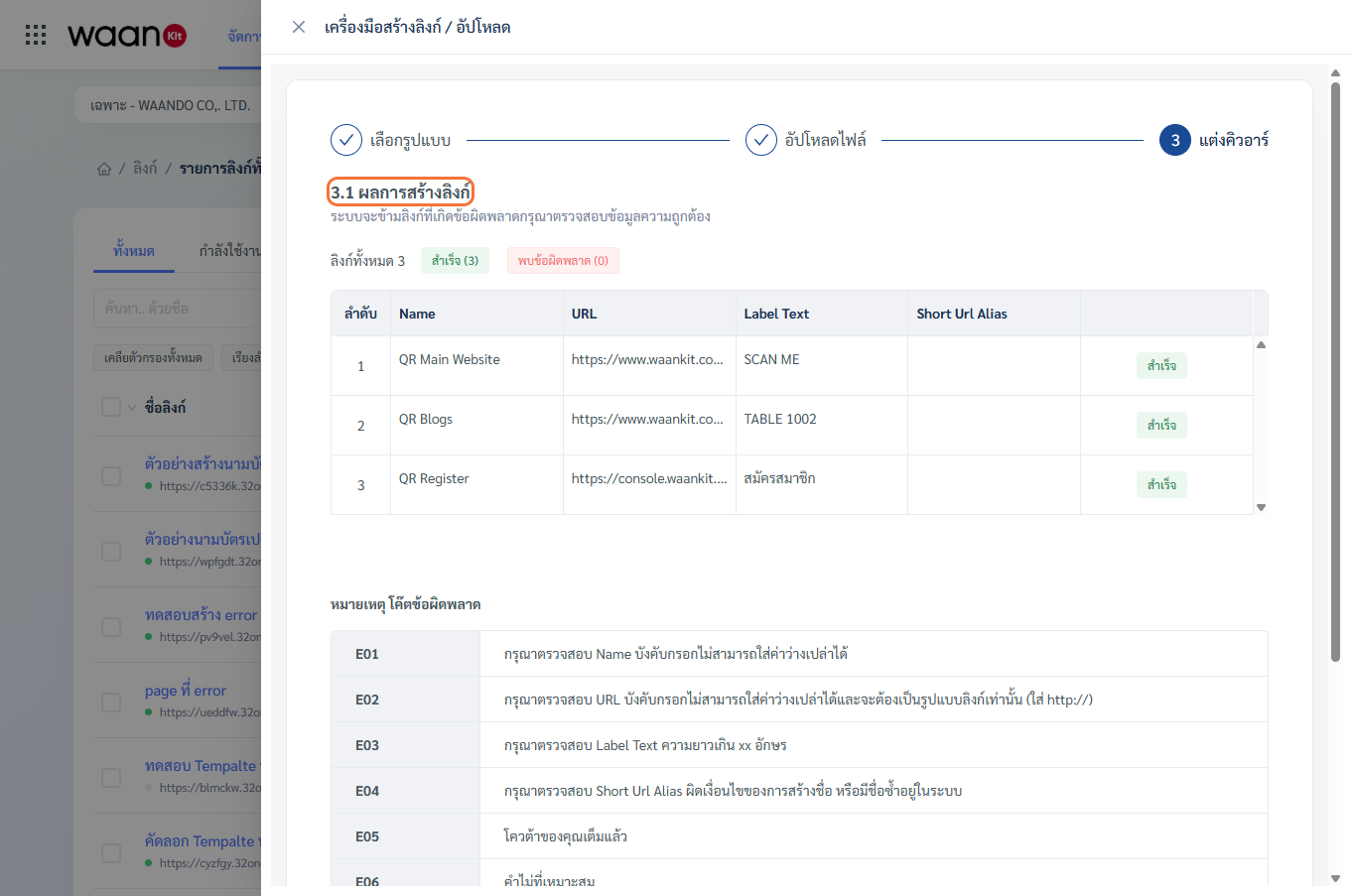
- Click "Download QR" to obtain all generated QR codes packaged in a compressed
.ziparchive.
2. Batch Parameter QR Generator
Ideal when you have one master landing page (e.g., menu, registration form, promotion) but need to distribute multiple QR codes with unique tracking identifiers (such as Table 1 to 50: ?table=01 to ?table=50 or branch codes).
2.1 Generating Parameterized QR Sets
- In the
...dropdown, choose "Link Builder / Uploader" > "Create Parameters".
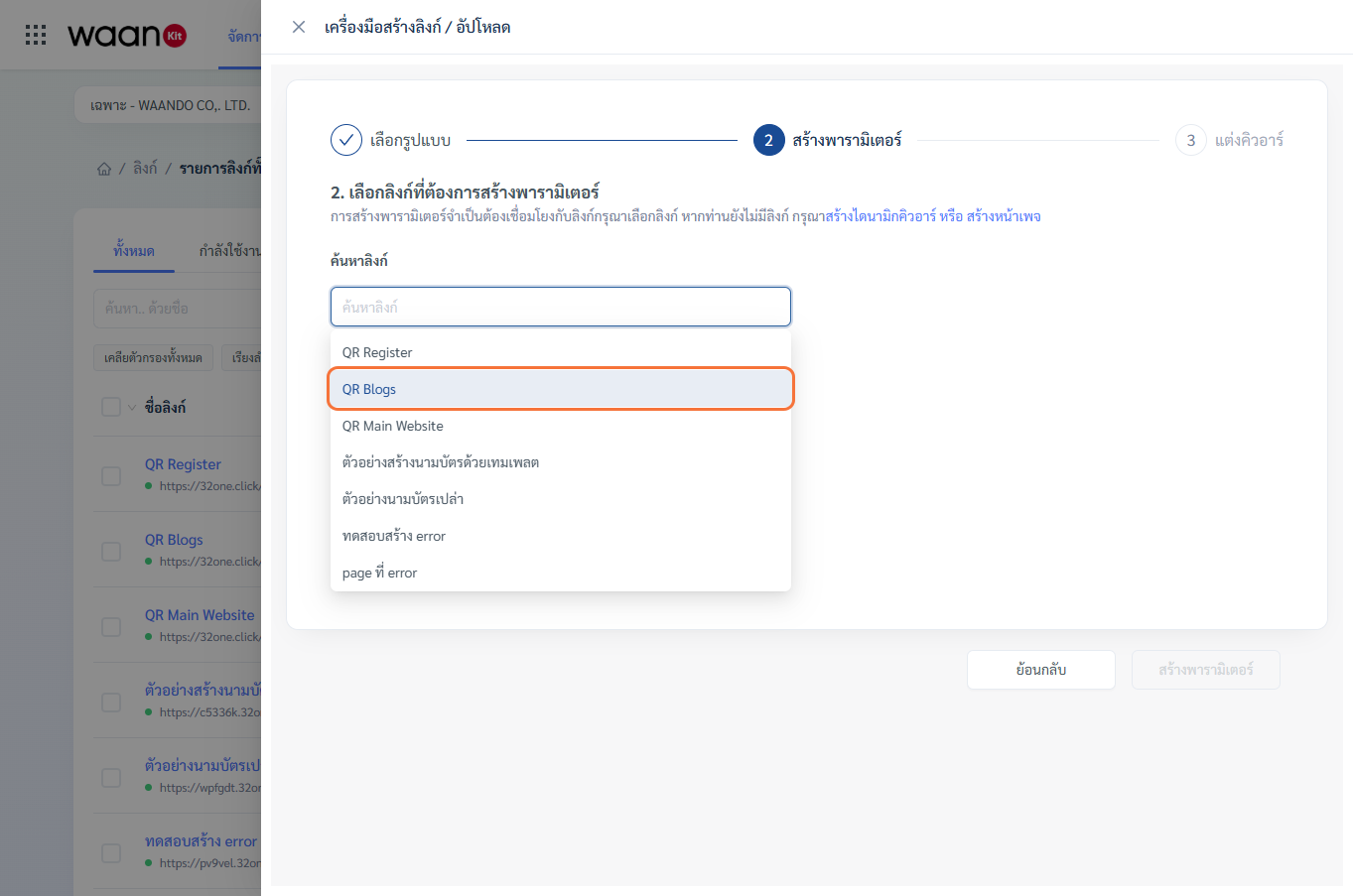
- Search and select the Target Source Link.
- Click "Add Parameter" and define the variable name (e.g.,
table,branch,utm_source).
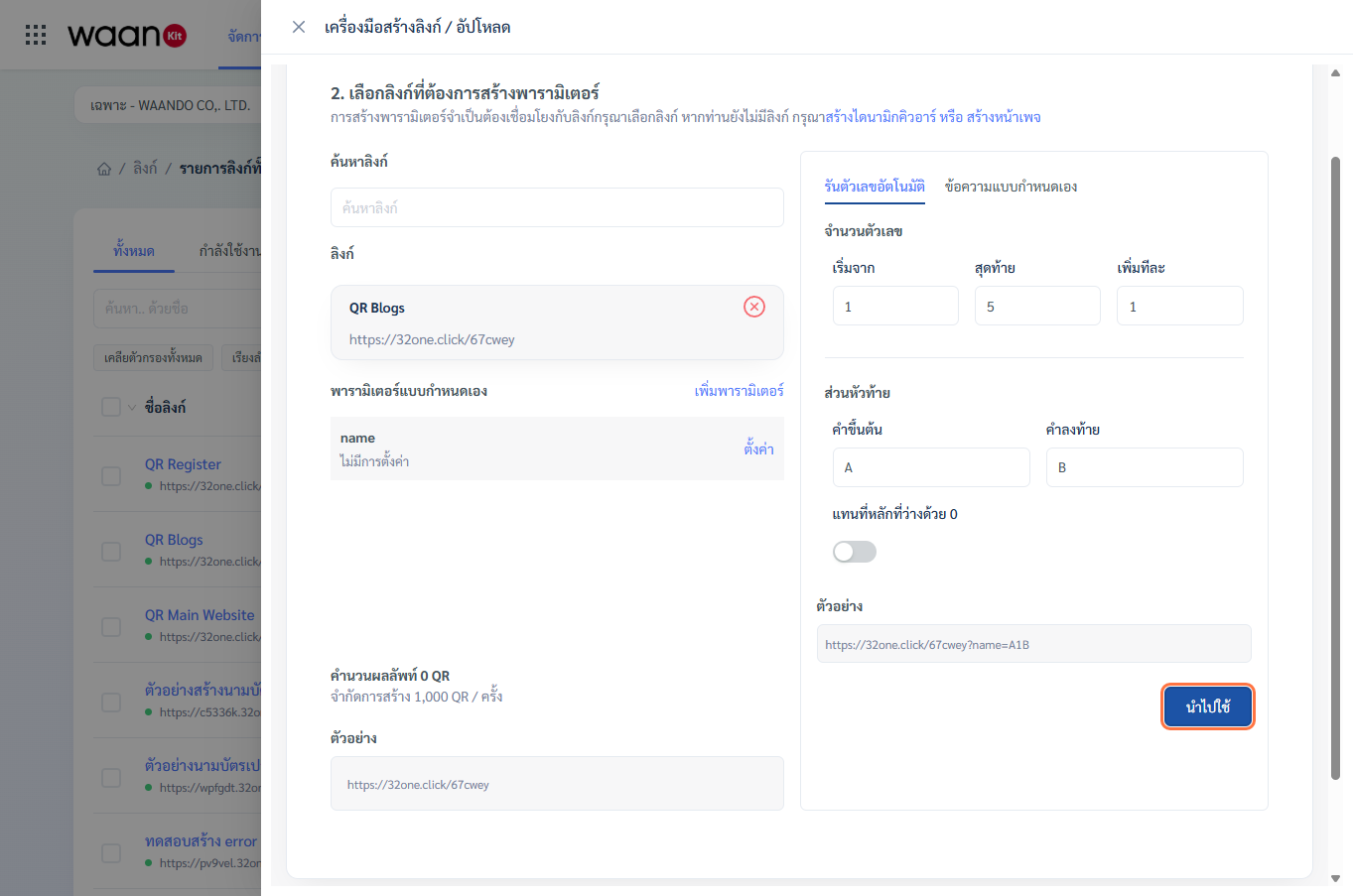
- Choose your parameter generation mode:
Mode 1: Auto Number Sequence
- Start & End: Define range (e.g.,
1to50). - Step: Increment interval (e.g.,
1). - Prefix: Text prefix (e.g.,
T-orA). - Suffix: Text suffix (e.g.,
-VIP). - Zero-Padding Switch: Enforces equal character width (e.g.,
A001BtoA050B).
Mode 2: Custom Strings
- Paste custom codes or employee names, one per line.
2.2 Result Preview & Batch QR Styling
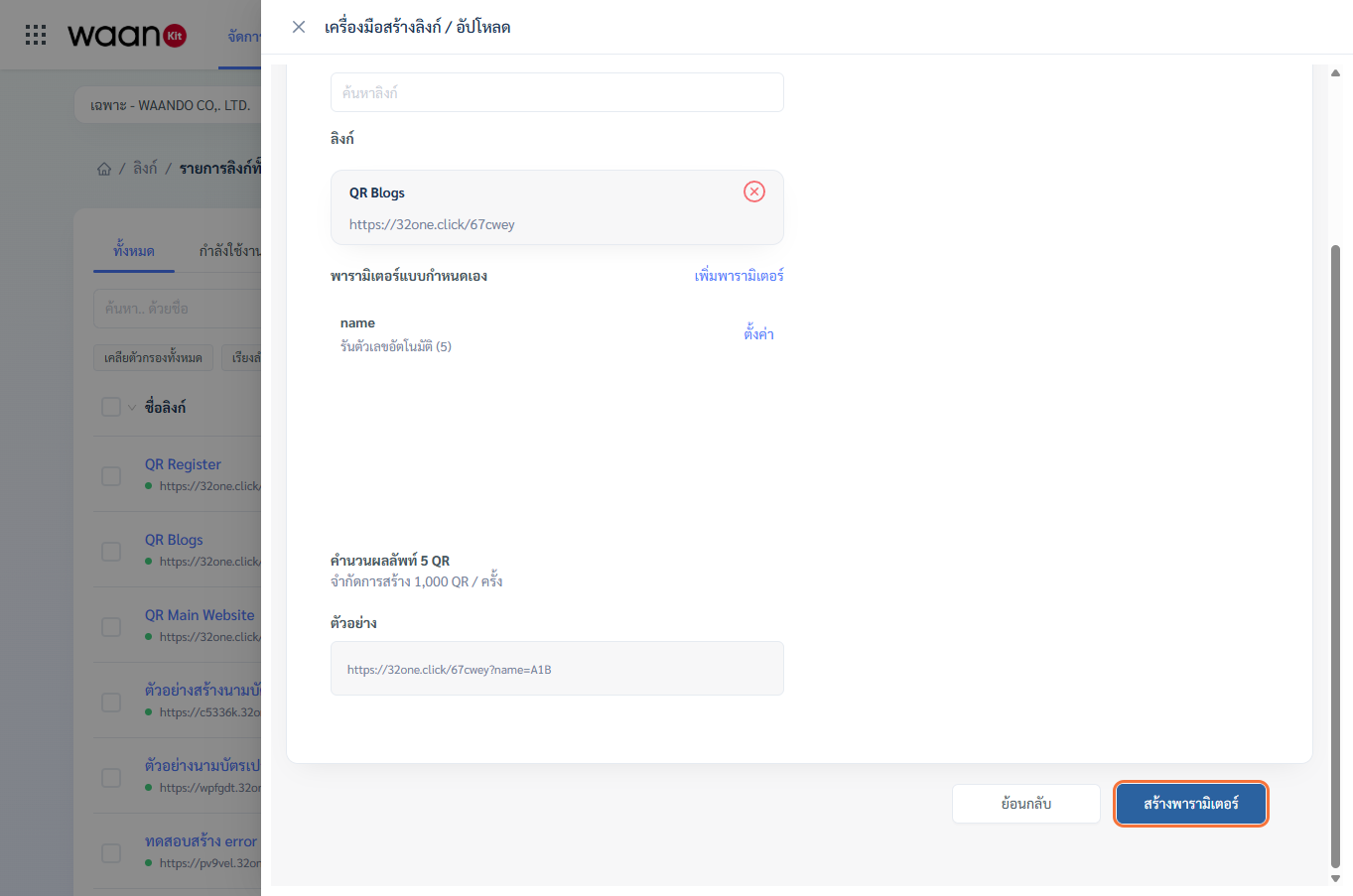
- Review total computed output (supports up to 1,000 QR codes per batch) and URL previews (e.g.,
https://waando.com/menu?table=A001B). - Click "Create Parameters" to open the QR Styling Studio.
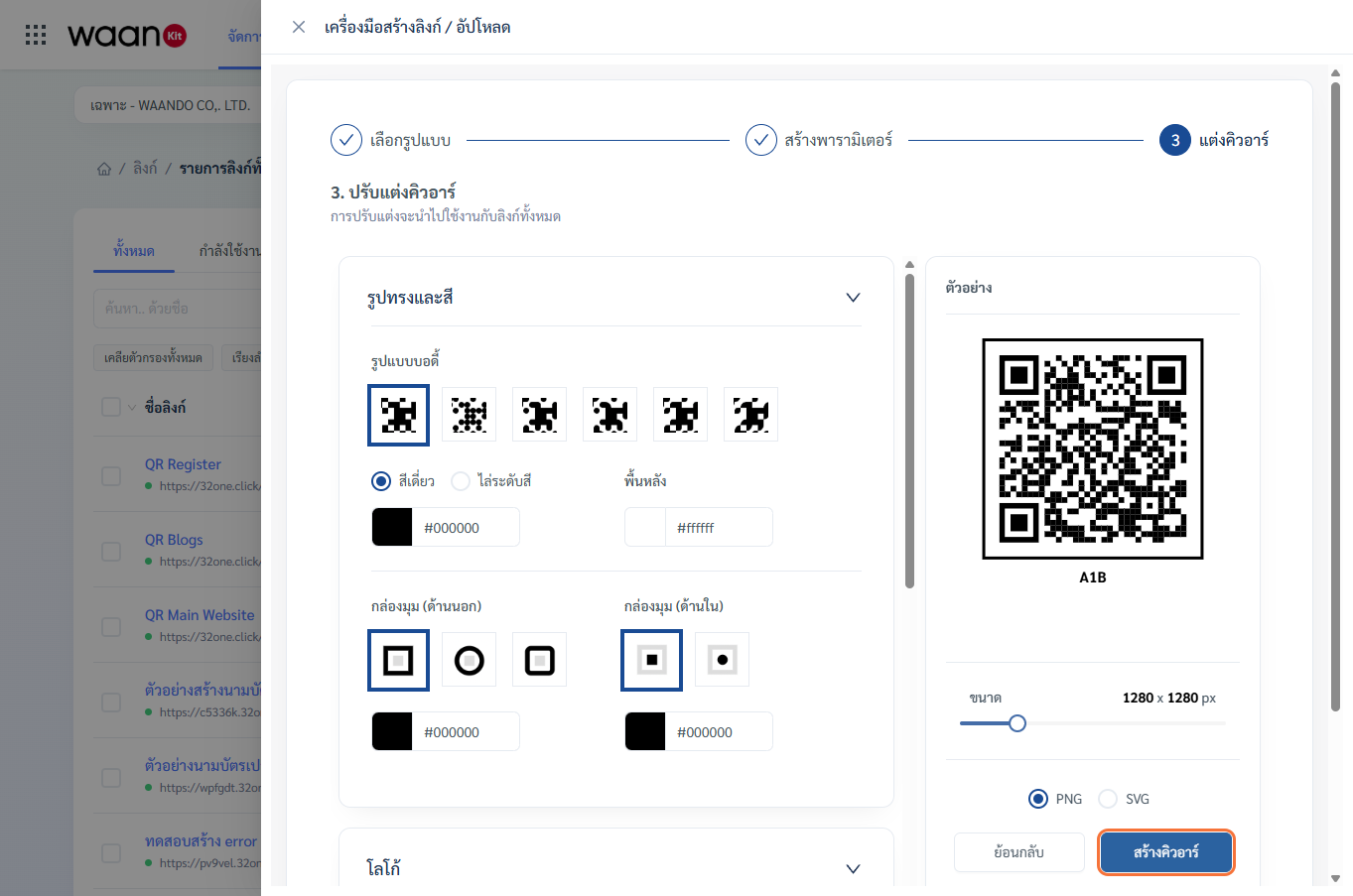
- Configure body shapes, brand colors, and center logo, then click "Create QR".
2.3 Batch Results Export
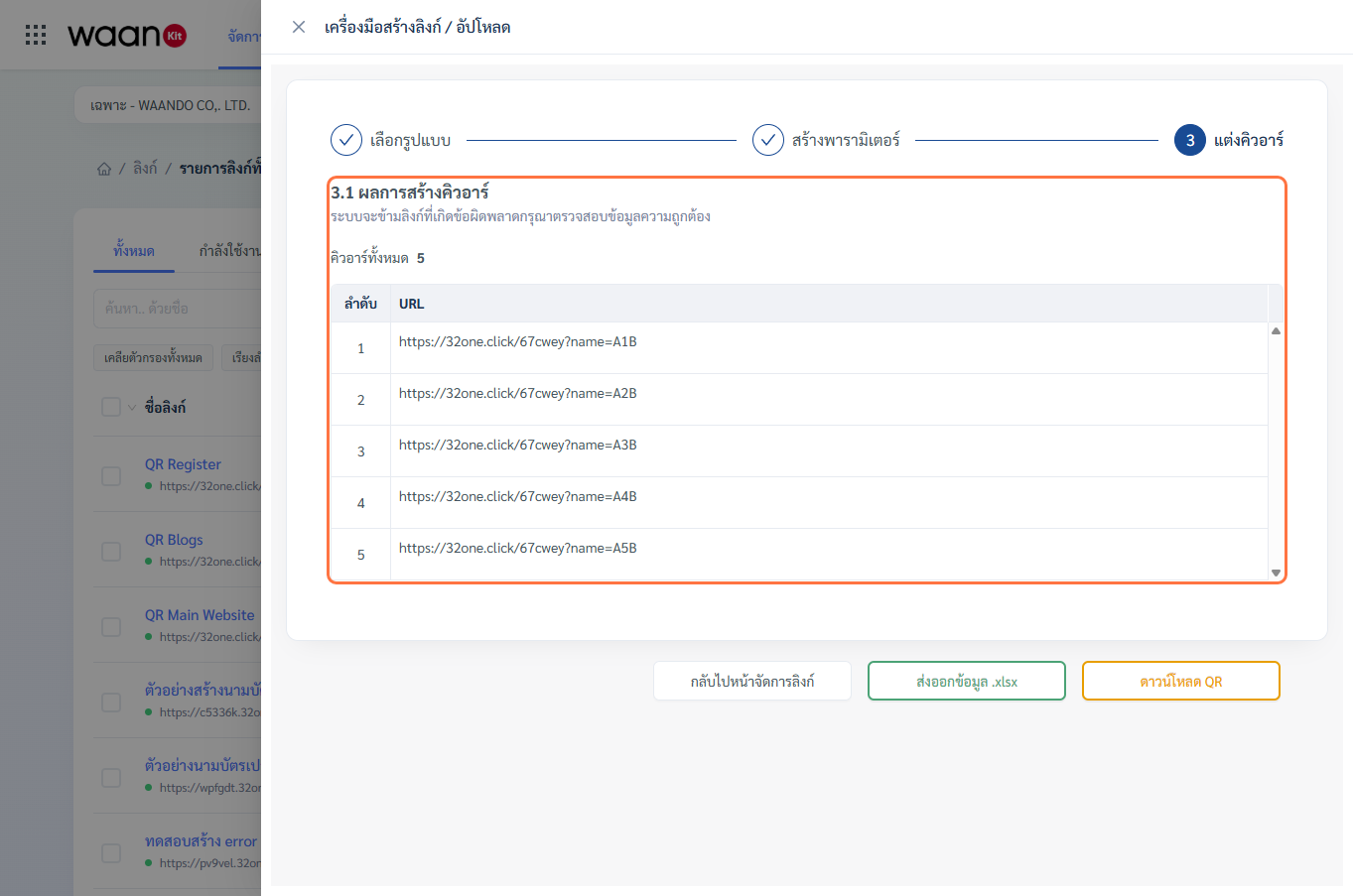
- Download QR (.zip): Download all high-resolution QR image files in a
.ziparchive, each named by its parameter value for printing. - Export .xlsx: Download an Excel spreadsheet containing all generated URLs and parameter values.
3. Real-World Industry Solutions
3.1 Restaurants & Dining Table Ordering
Manage a single digital menu page while deploying 60 distinct table QR stands (table=01 to table=60). When customers scan, orders are mapped to their specific table automatically.
3.2 Billboard & Multi-Location Ad Tracking
Run a single promotional campaign and track performance across billboards using parameters (location=billboard-asoke, location=bts-siam).
3.3 Sales & Affiliate Partner Attribution
Import 100 distributor codes via Excel to generate personalized referral links with individual tracking pixels.