

Dynamic QR Codes & Short Links (Direct URL Redirect)
Dynamic QR Codes and Short Links (Direct URL Redirect) are ideal for routing visitors to external landing pages, digital catalogs, app store downloads, or custom forms. You can modify the destination URL at any time—even after printing the QR code on physical marketing collateral or NFC smart cards.
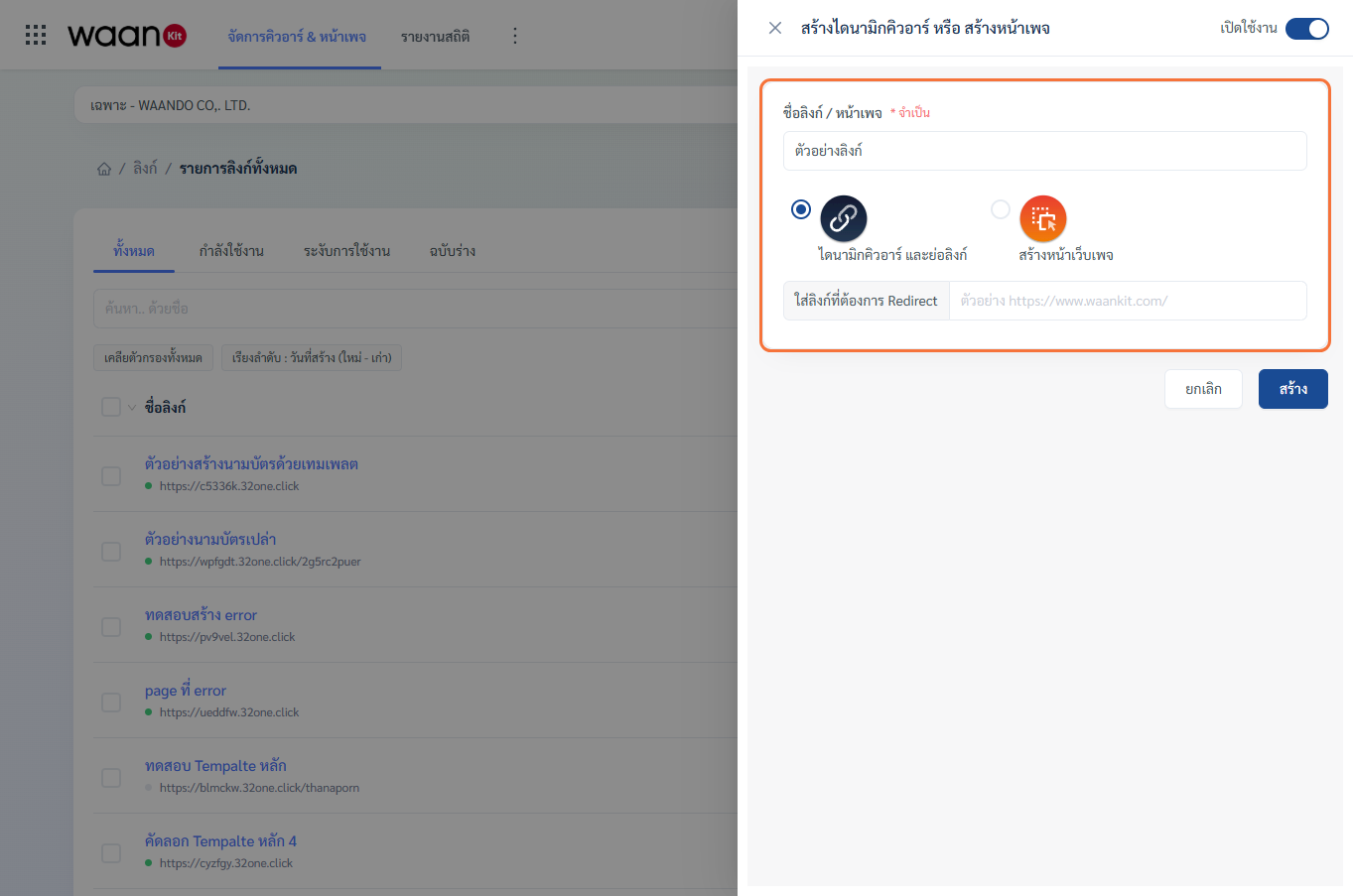
1. Step-by-Step Creation Workflow
- On the All Links dashboard (
/app/apps/nfc/index), click "Create Dynamic QR or Web Page". - Select initial status via the top-right toggle switch:
- Active (Enable): Immediately live and routing traffic to destination.
- Draft (Suspend): Saves configuration without exposing access publicly.
- Enter Link / Page Name (Required) (e.g., "Buffet Table 1-20 Menu QR" or "Mid-Year Promotion Link").
- Select "Dynamic QR and Short Link" (Direct URL Redirect).
- Enter the Destination URL (e.g.,
https://myrestaurant.com/menu). - Click "Create" to enter the Link Detail Configuration Studio.
[!NOTE] Domain Security Validation: WaanKit scans target URLs automatically. If a destination domain appears on threat blocklists (malware, phishing, suspicious scams), the system will prompt a warning and reject the entry for user safety.
2. Link Detail Configuration Studio
After creation, the system redirects you to the Link Detail Studio (/app/apps/nfc/detail-nfc/[id]), featuring 8 primary configuration panels accessible from the left anchor menu:
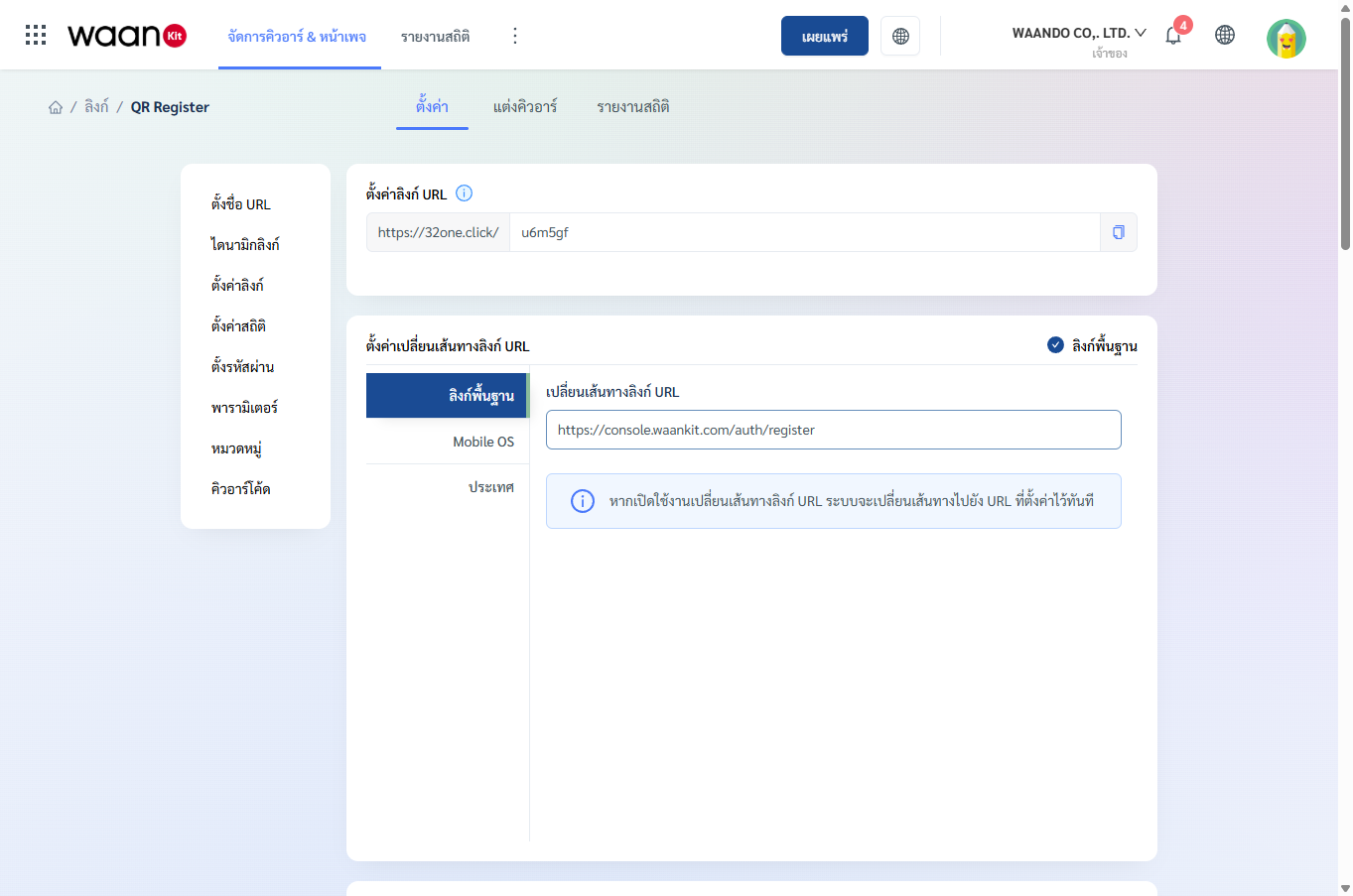
2.1 Set URL Link Slug (Short Link Alias)
Customize the URL path alias to make links memorable, professional, and branded:
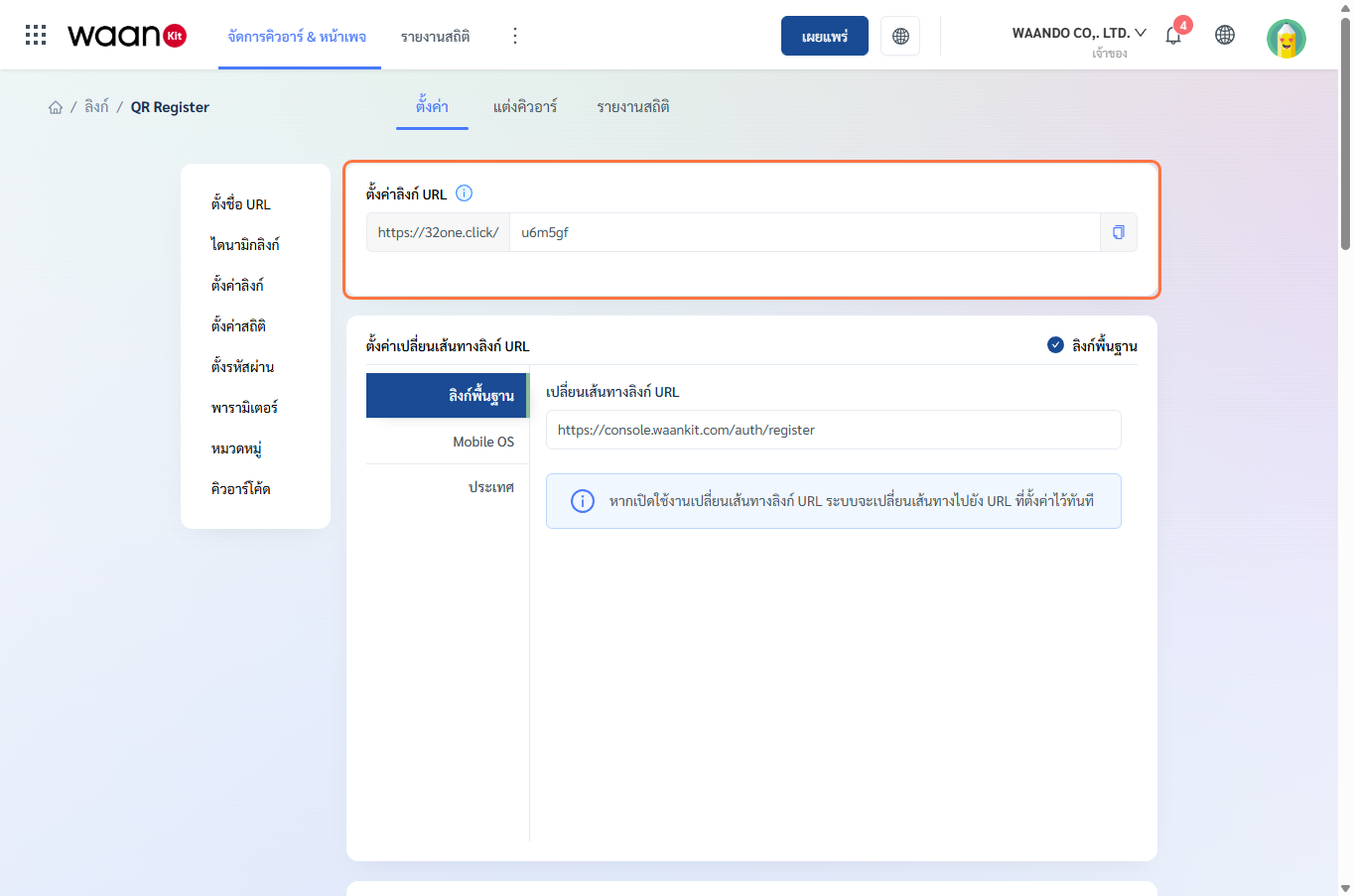
- URL Structure:
https://[Domain]/[your-custom-alias](e.g.,https://waando.com/summer-promo) - Naming Constraints:
- Length: 5 to 250 characters.
- Allowed characters: English letters (
a-z,A-Z), digits (0-9), and hyphens (-). - No spaces or special symbols allowed.
- Automated profanity and bad-words filter.
- Must be unique across the platform.
- Copy Link Button: Click the copy icon beside the input to copy the URL immediately.
2.2 Set Link Redirection (Routing Rules Matrix)
Control user traffic routing based on platform or geography across 3 operational modes:
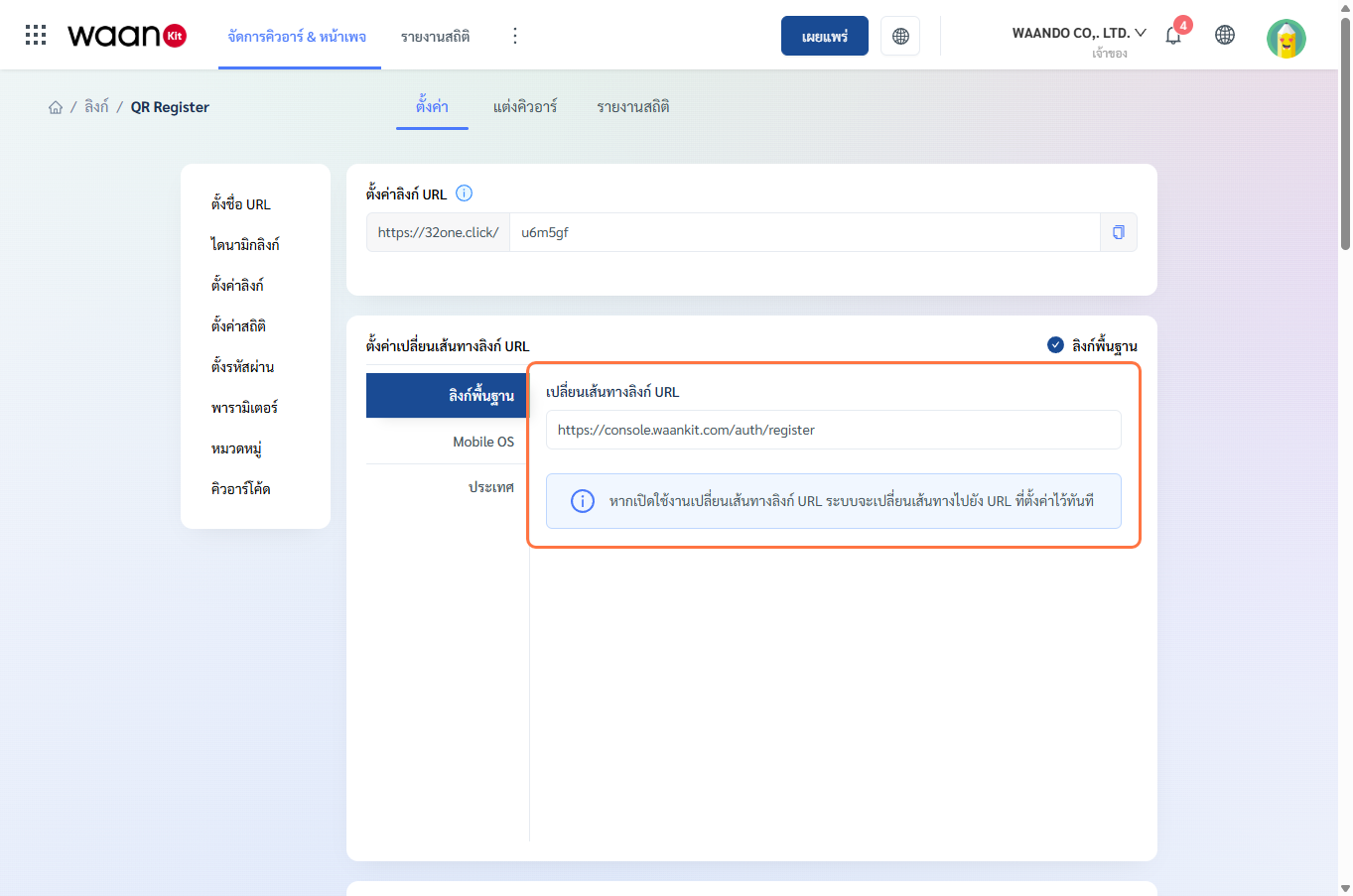
Mode 1: Direct URL Redirect
Forwards all visitors to a single designated destination URL regardless of device or location:
Mode 2: Mobile OS Redirection
Forwards visitors to specific app stores or URLs based on their mobile operating system:
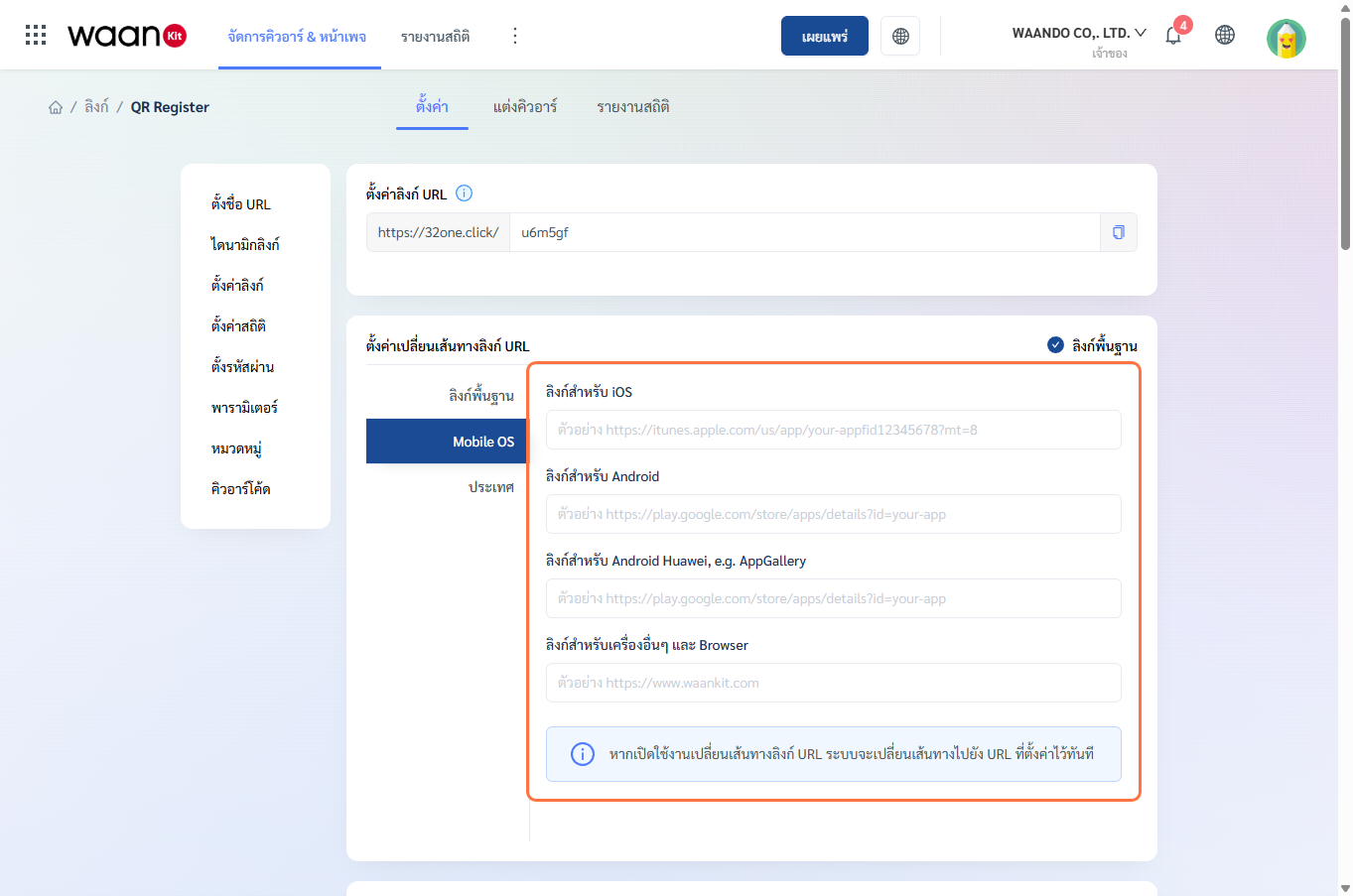
- iOS Link: Forwards Apple devices directly to the Apple App Store.
- Android Link: Forwards Android devices to Google Play Store.
- Huawei Link: Forwards Huawei devices to Huawei AppGallery.
- Default Browser Link: Fallback web URL for desktop browsers.
Mode 3: Country-based Geotargeting
Routes visitors based on their geographical location detected from network IP:
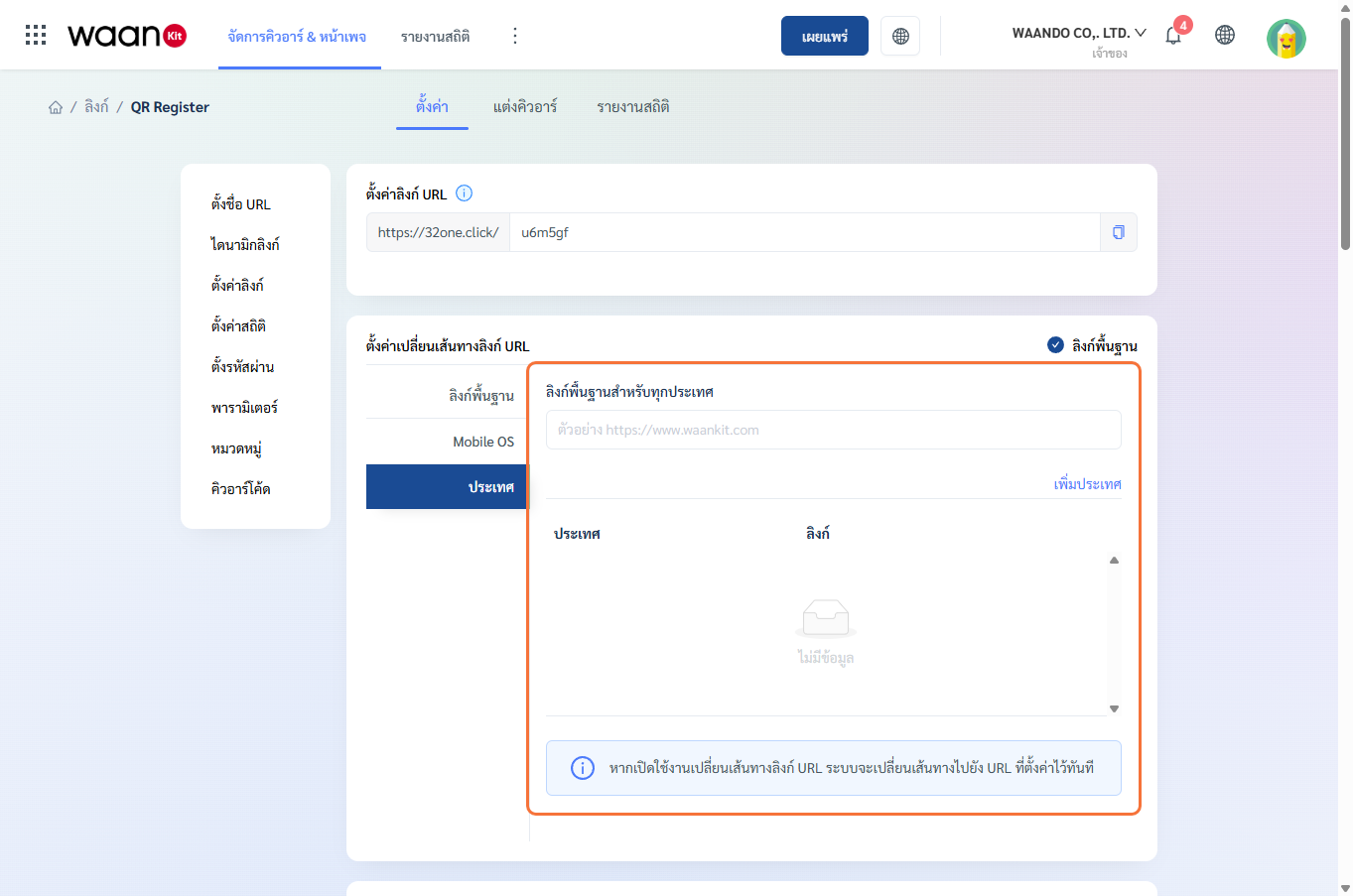
- Basic Link: Default fallback destination for all unlisted countries.
- Country Rules: Specific landing URLs tailored by country code (e.g.,
THfor Thailand,JPfor Japan).
2.3 General Link Settings (Information & Scheduling)
Manage core metadata and automated campaign scheduling:
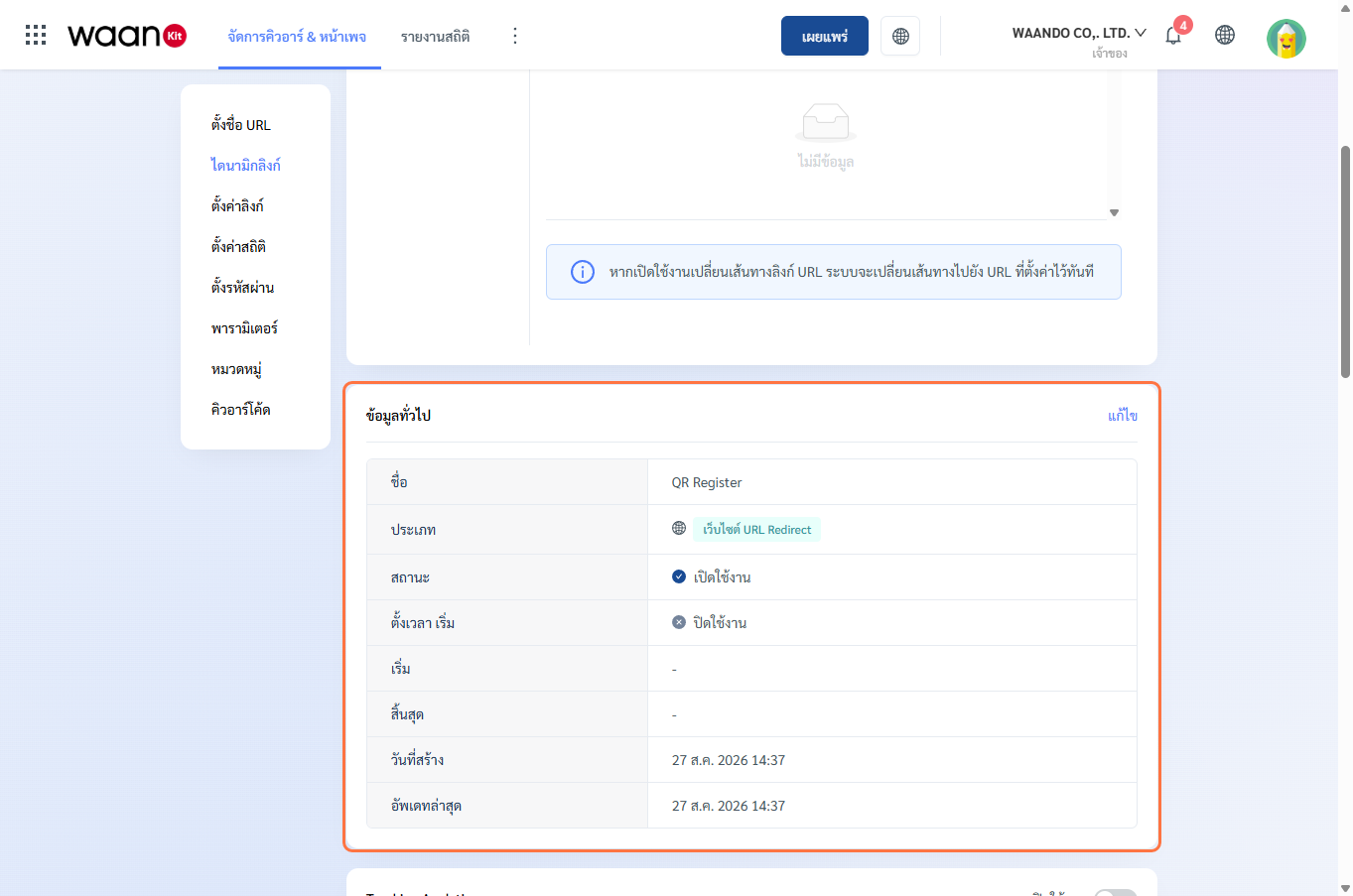
- Link Name: Internal identifier.
- Link Type: Direct URL Redirect.
- Status: Active, Draft, or Suspended.
- Creation & Update Timestamps: System audit log.
- "Edit" Button: Opens the drawer to update name, status, or schedule.
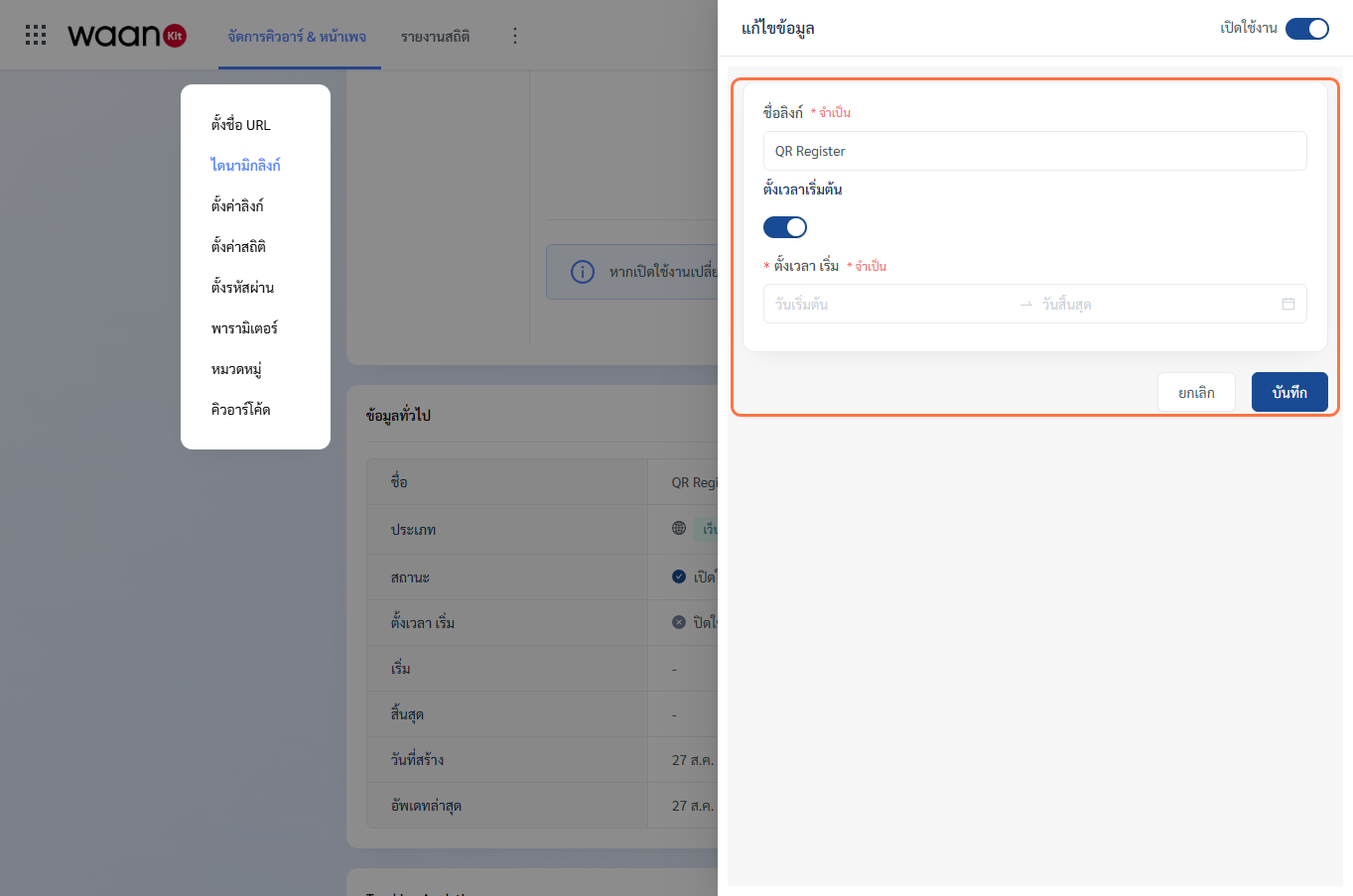
- Start & End Schedule:
- Schedule automated activation and expiration timestamps.
- Configurable Time Zone (e.g.,
Asia/Bangkok).
2.4 Tracking & Analytics Pixels
Integrate marketing tracking pixels for re-targeting and ad conversion attribution:
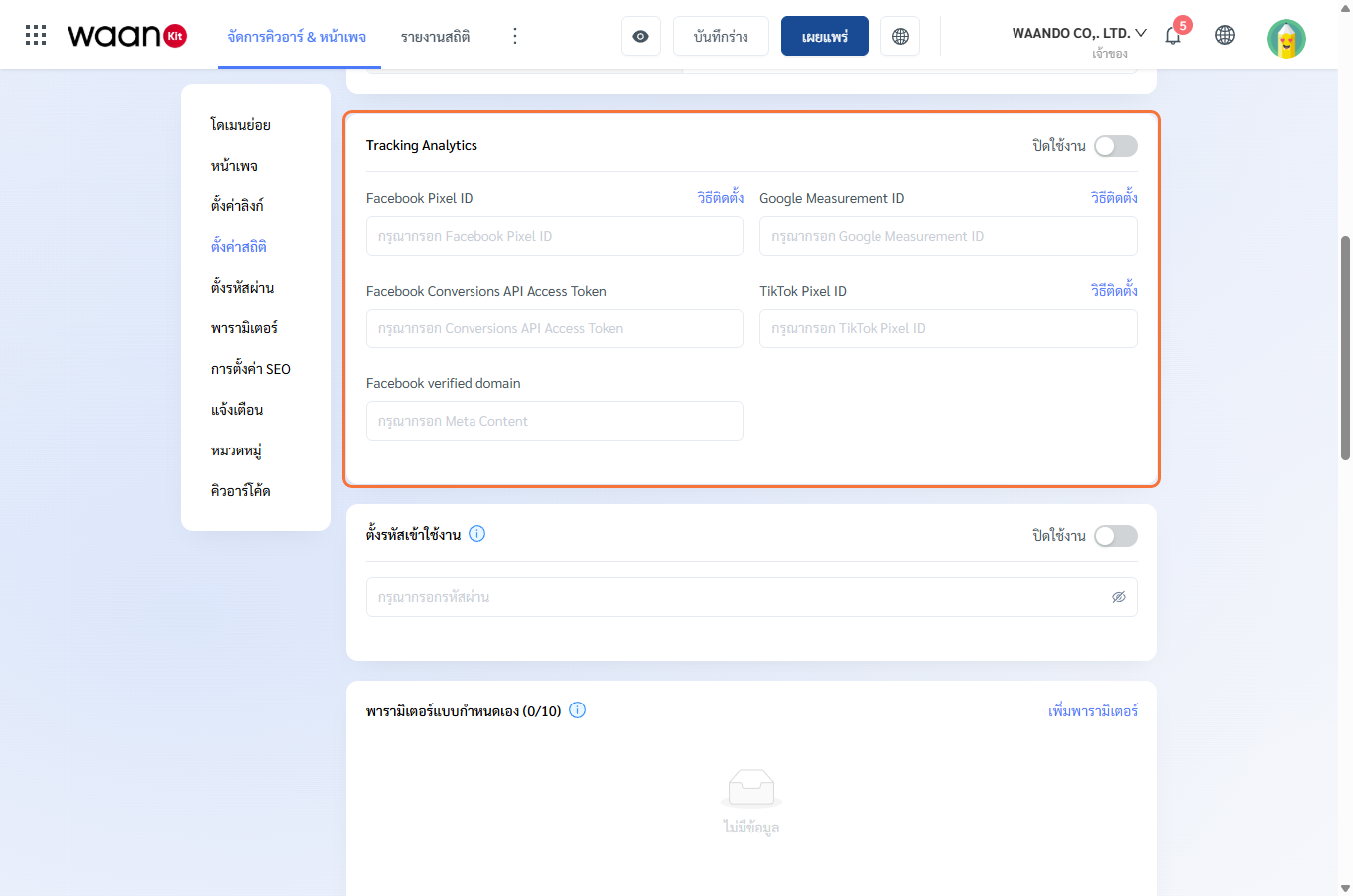
- Tracking Status Switch: Enable to activate tracking inputs.
- Facebook Pixel & Meta CAPI:
- Facebook Pixel ID: Meta tracking pixel identifier.
- Facebook Conversions API Access Token: Server-side event tracking token.
- Facebook Verified Domain: Domain verification meta tag string.
- Google Analytics 4 (GA4):
- Google Measurement ID: e.g.,
G-XXXXXXXXXX.
- Google Measurement ID: e.g.,
- TikTok Pixel:
- TikTok Pixel ID: TikTok Ads Manager conversion tracker.
2.5 Password Protection (PIN Code)
Enforce PIN-code access control for sensitive assets, wholesale price sheets, or private member files:
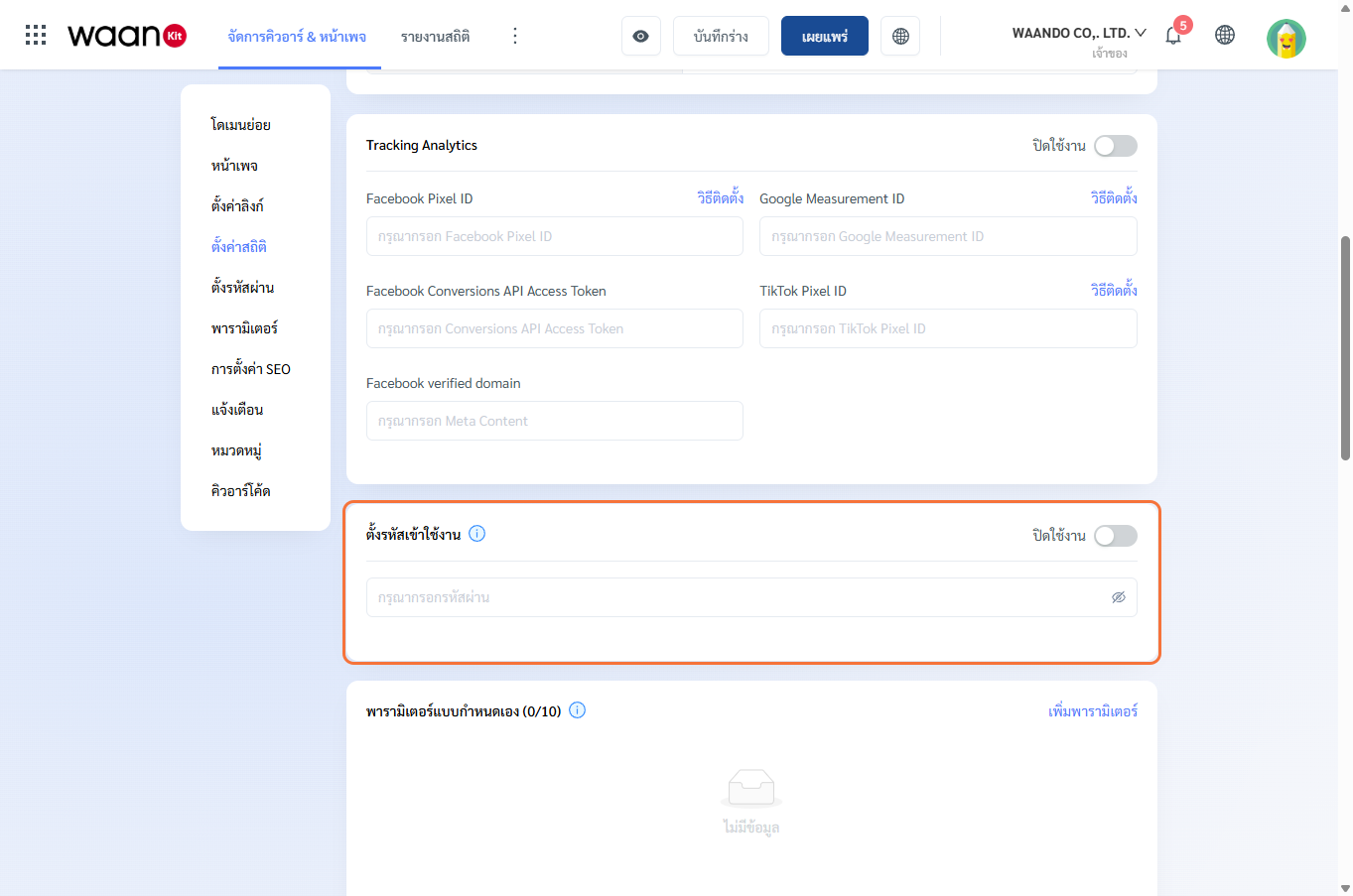
- Password Toggle: Enforce password verification prior to redirection.
- Access Password: Set a 4 to 6 character security PIN.
- User Experience: Visitors encounter a branded security prompt. Entering the correct PIN automatically forwards them to the destination URL.
2.6 Custom Parameters & Dynamic Passthrough
Append URL query parameters (e.g., UTM campaign tags, branch IDs, dining table numbers):
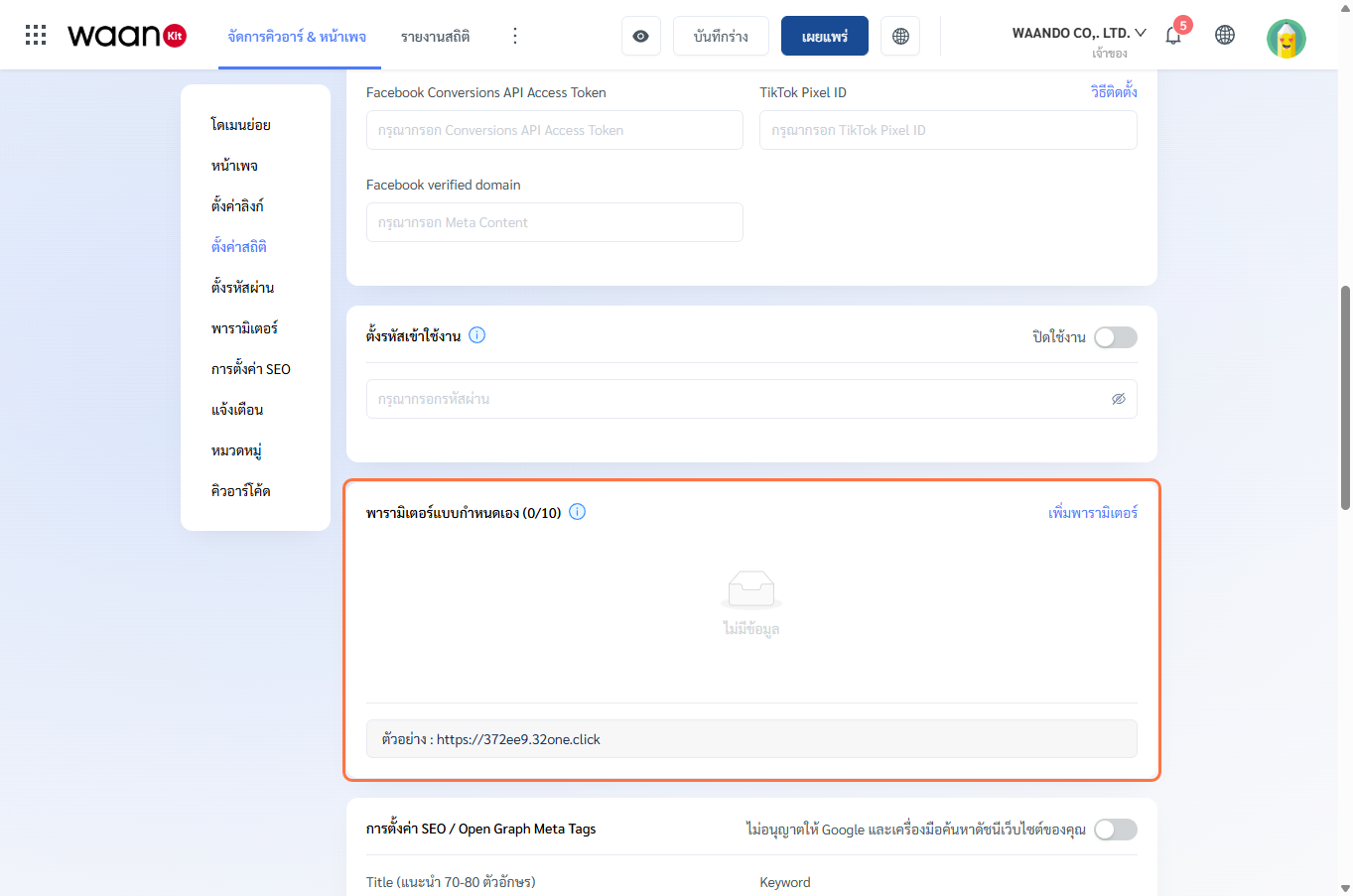
- Add Parameter: Define variable keys (e.g.,
utm_source,utm_campaign,table_no).- Naming rule: Lowercase alphanumeric characters (
a-z,0-9,_). - Automatic duplication prevention.
- Naming rule: Lowercase alphanumeric characters (
- Dynamic Passthrough Toggle:
- When enabled, incoming parameters (e.g.,
https://waando.com/menu?table=05) are automatically appended to the destination URL (https://myrestaurant.com/menu?table=05).
- When enabled, incoming parameters (e.g.,
- Live URL Preview: Displays real-time computed URL.
2.7 Category, Branch & Location Hierarchy
Organize links according to physical store hierarchy:
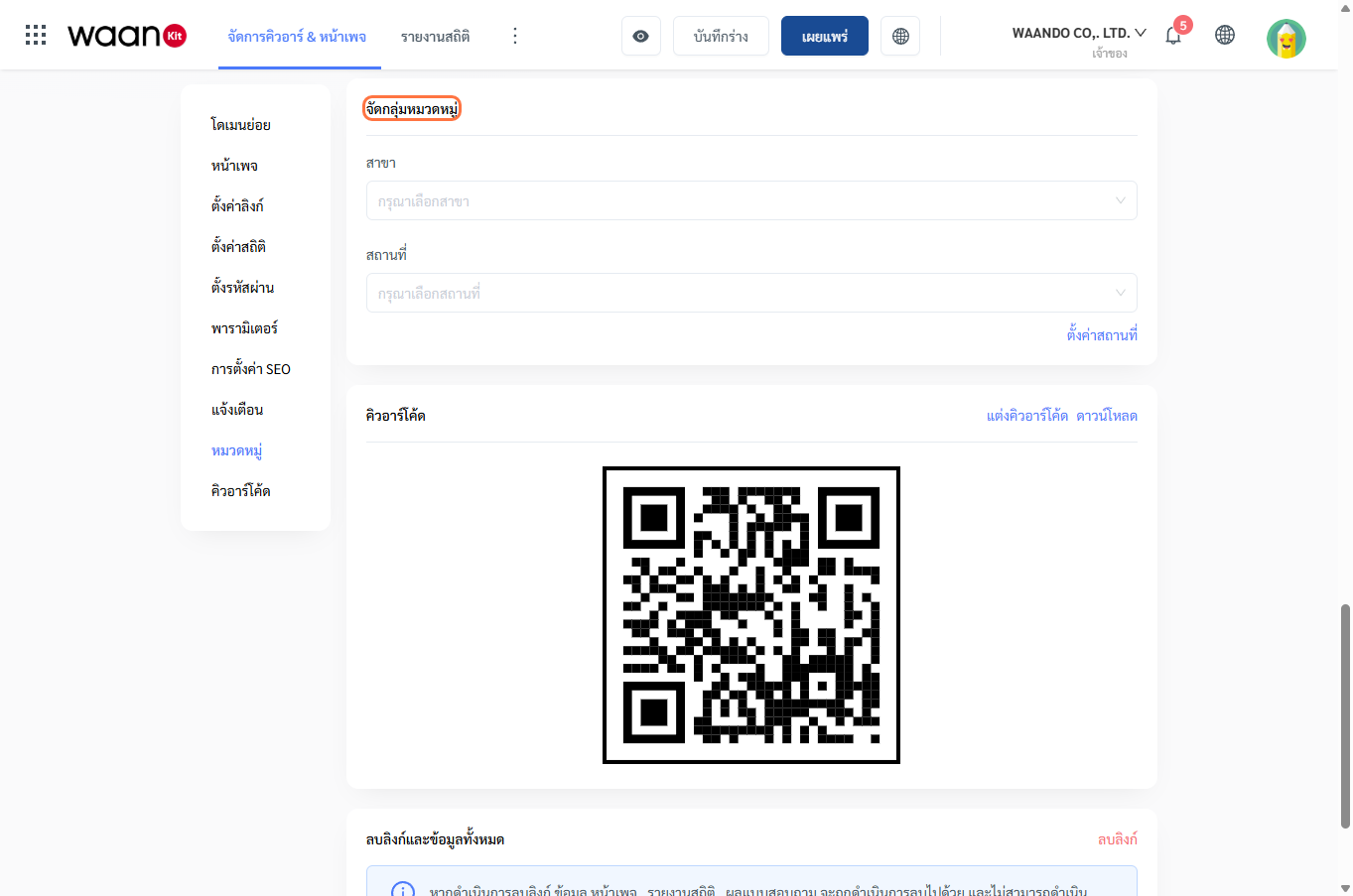
- Branch: Assign to a physical store branch (e.g., Siam Paragon, Central World).
- Location (3-Level Cascader): Organize by Building > Floor > Zone.
- "Set Location" Button: Quick shortcut to create or edit location hierarchies.
2.8 QR Code Preview & Actions
Inspect and export QR Code assets:
- Live QR Preview: Visual preview linked to the current live destination URL.
- Customize QR Code: Direct trigger to the QR Styling Studio to modify colors, dot patterns, eye frames, and brand logos (Read QR Design Studio Guide).
- Download: Save high-resolution QR image files directly to your device.
2.9 Deleting Links & Safety Confirmation
At the bottom of the page, the "Delete Link" button allows complete removal of link records, protected by a safety confirmation modal.
3. Real-World Industry Solutions
3.1 Multi-Platform App Store Routing
Deploy a single QR code on billboards; iOS users land on Apple App Store while Android users land on Google Play automatically.
3.2 Password-Gated Wholesale Catalog
Share a short link to a private Google Drive catalog protected by a 6-digit access code for authorized distributors.
3.3 Dynamic Table Ordering with Parameter Passthrough
Use the table parameter to pass table numbers to your POS backend while keeping a single physical printed QR code.