

Security & Password Management
Account security is fundamental at WaanKit. Our platform adheres to enterprise-grade security standards to safeguard your business links, customer landing pages, and analytics data.
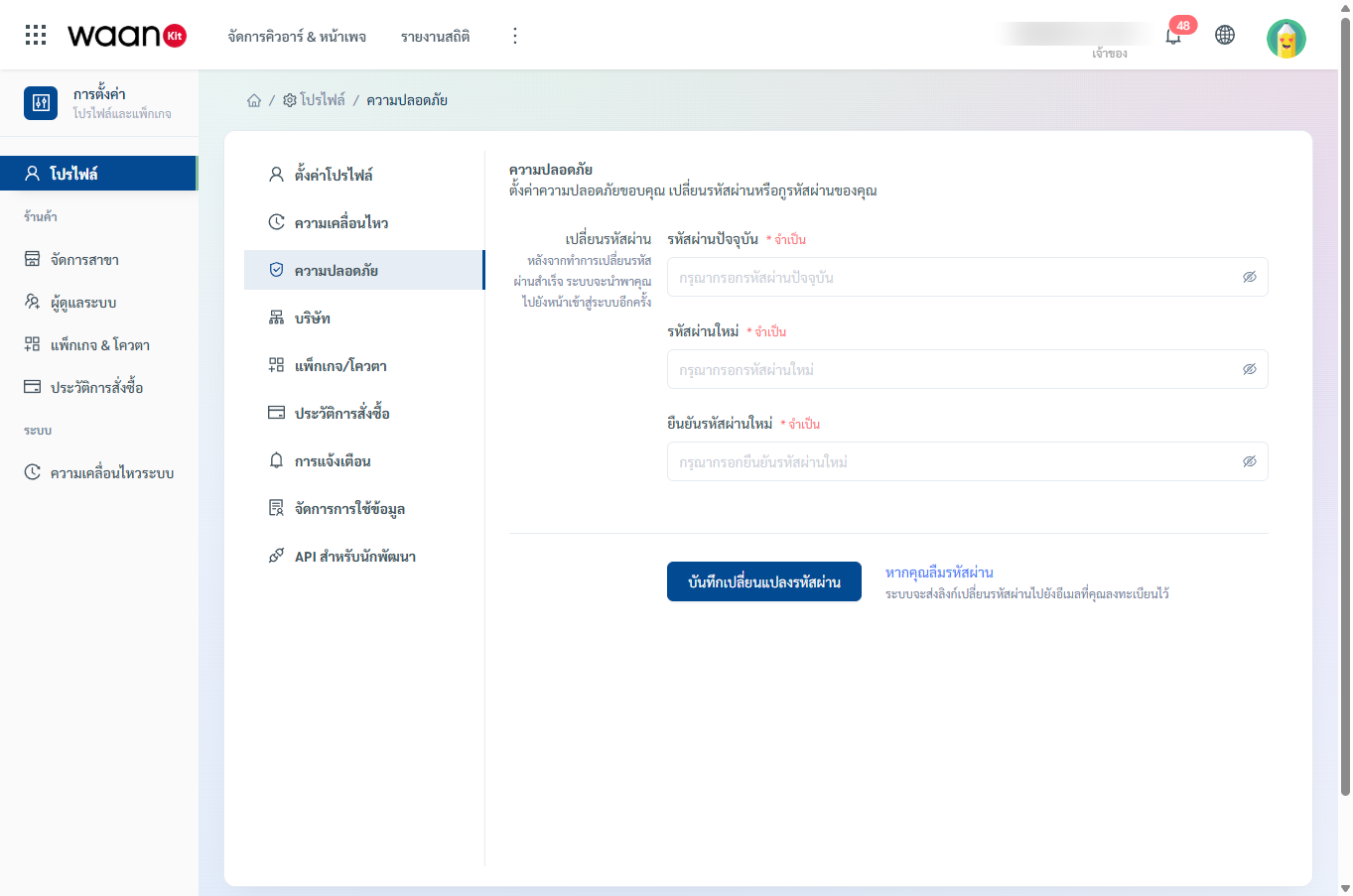
1. How to Change Your Password
- Navigate to "Safety" in the profile settings sidebar.
- Complete the password form fields:
- Current Password: (Required) Enter your existing password.
- New Password: (Required) Enter a new password conforming to the security policy.
- Confirm New Password: (Required) Re-type your new password to verify.
- Click "Save Password Changes".
[!IMPORTANT] Session Invalidation: Once your password is changed, WaanKit immediately clears all authentication sessions and automatically logs you out across all active devices. You must log back in using your new credentials.
2. Password Complexity Requirements
To maximize protection, passwords must meet the following rules:
- At least 8 characters in length
- Minimum of 1 uppercase letter (
A-Z) - Minimum of 1 lowercase letter (
a-z) - Minimum of 1 numeric digit (
0-9) - Recommended inclusion of special symbols (
@,#,$,%,!,*)
3. Password Recovery (Forgot Password)
If you cannot remember your current password:
- On the Safety page, click the blue "Forgot Password?" link located next to the save button.
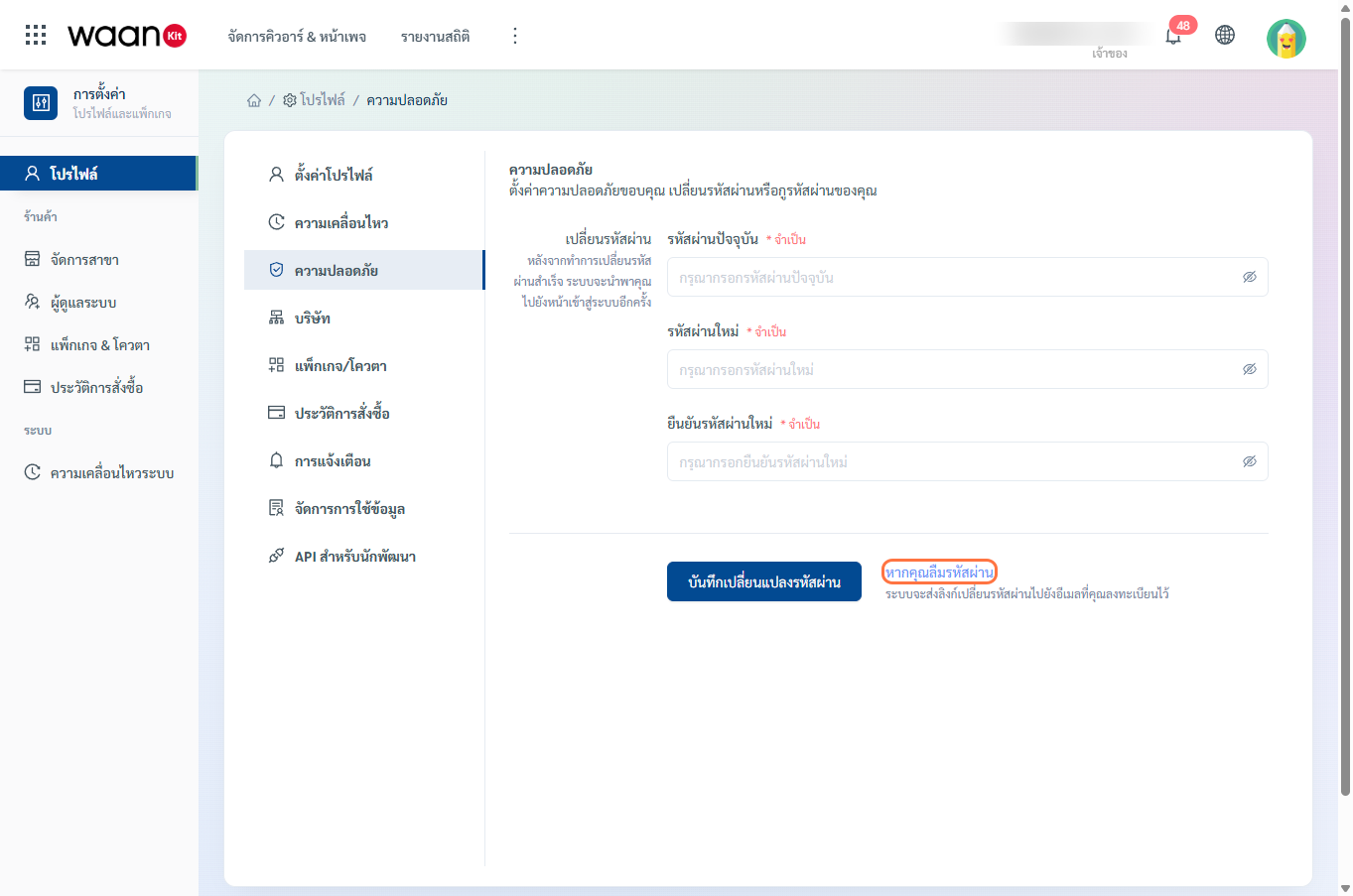
- WaanKit will send a password reset link to your registered email address.
- Check your inbox and follow the instructions in the email to set a new password.