

QR Code Styling Studio Overview
The QR Code Styling Studio enables complete visual customization of QR codes to match your brand identity across all Smart Link types. It features real-time live previewing and high-resolution raster (PNG) and vector (SVG) export.
1. Shape & Color Customization
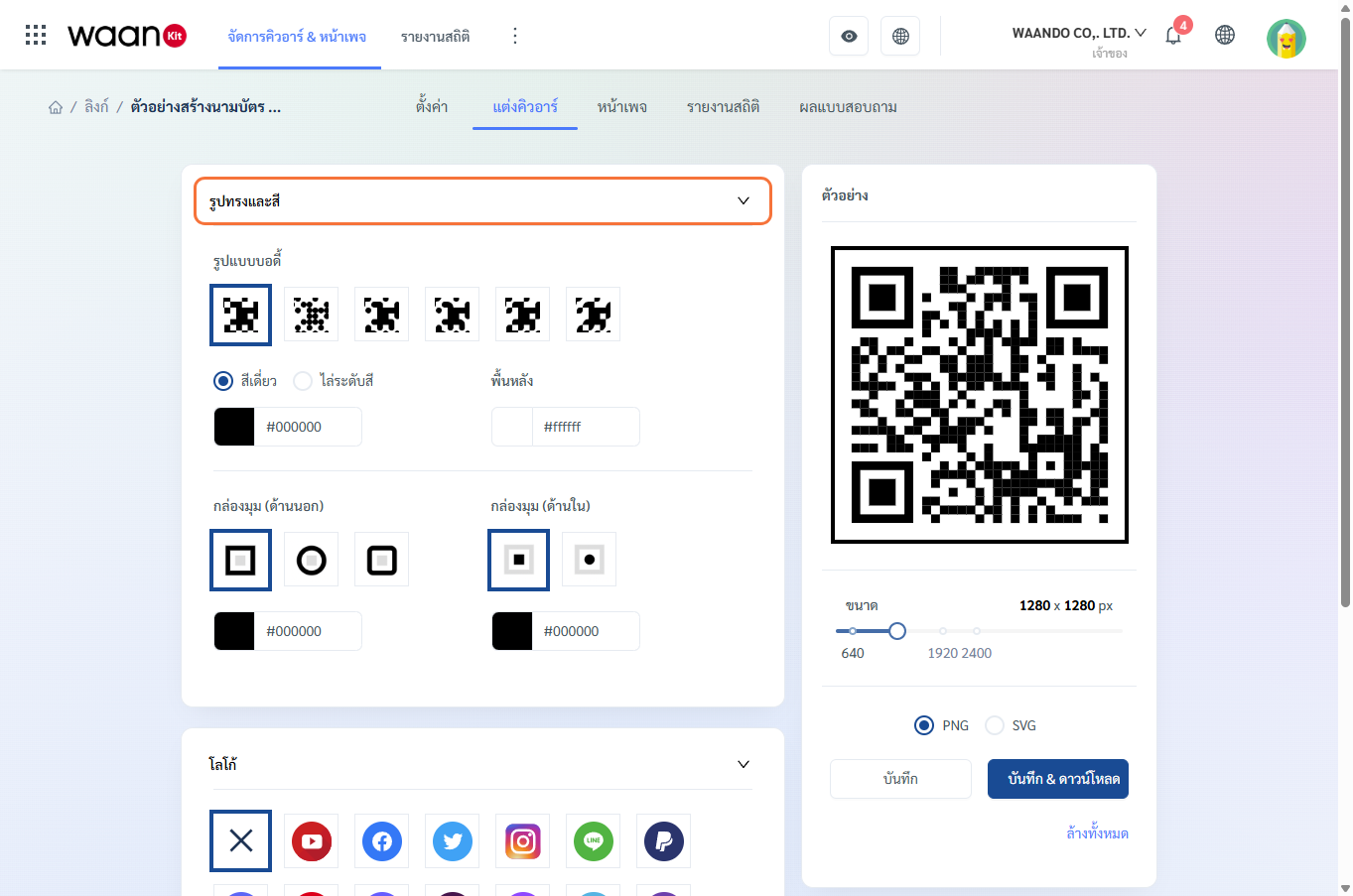
1.1 Body Dot Patterns
Choose from 6 dot patterns:
- Square: Standard high-contrast pattern for maximum readability.
- Dots: Minimalist circular dot design.
- Rounded: Soft rounded-corner squares.
- Extra-Rounded: Deep pill-shaped curves.
- Classy: Classic teardrop shape.
- Classy-Rounded: Teardrop pattern with rounded corners.
1.2 Body Color Modes
- Single Color: Select solid colors via the color picker or enter HEX values (e.g.,
#1e293b). - Gradient: Blend two colors smoothly:
- Color 1 & Color 2: Starting and ending colors.
- Gradient Type:
- Linear: Directional gradient.
- Radial: Circular gradient spreading from the center.
1.3 Background Color
- Customize the QR background color (default is
#ffffffwhite). - Recommendation: Maintain high contrast between the background and body dots for reliable scanning.
1.4 Corners Square (Outer Frame)
Customize the 3 corner position markers:
- Shapes: Square, Dot, or Extra-Rounded.
- Color can be customized independently from the body.
1.5 Corners Dot (Inner Eye)
Customize the inner eye dots within the 3 corner markers:
- Shapes: Square or Dot.
- Color can be customized independently.
2. Brand Logos & Icons
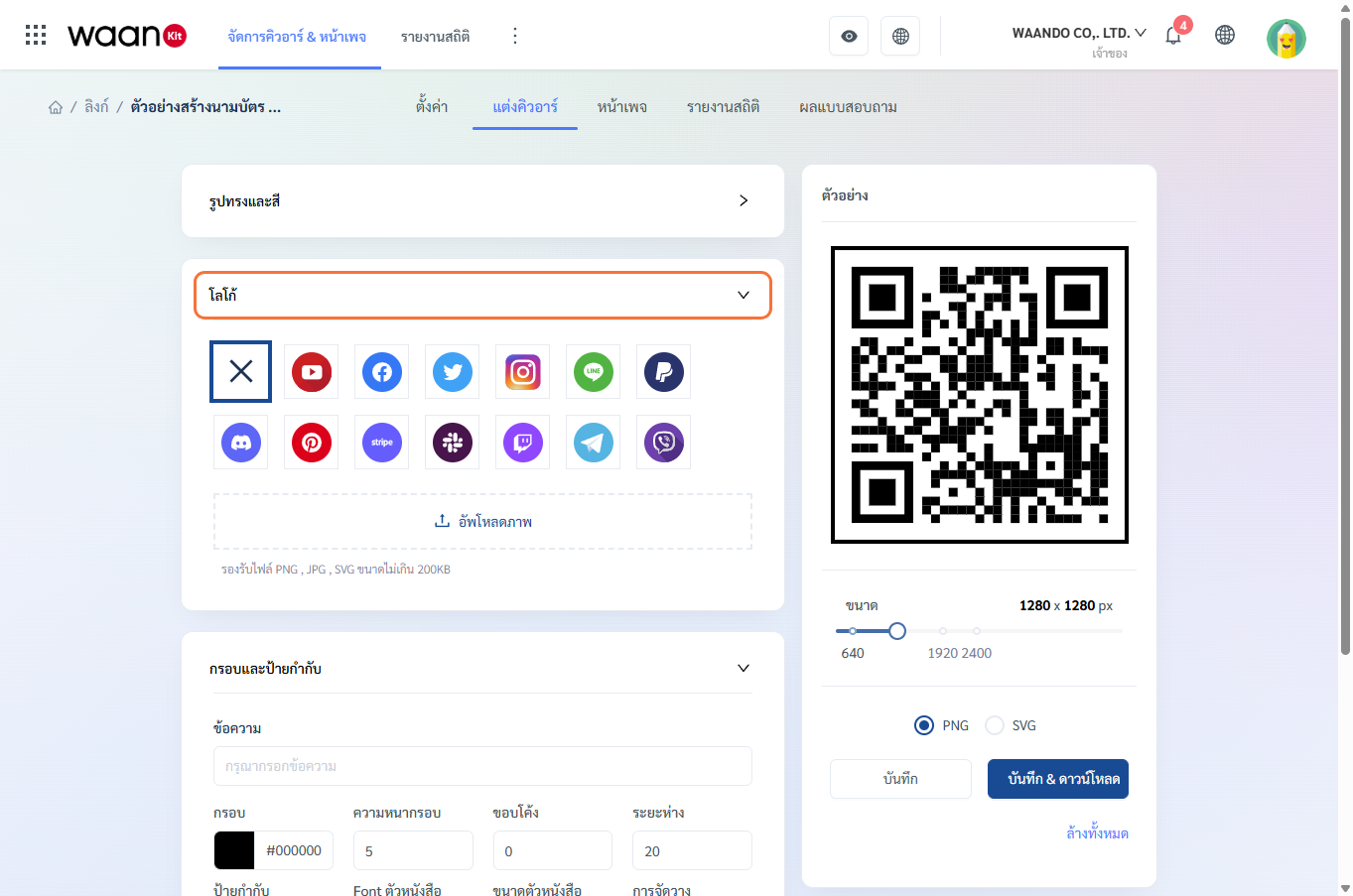
2.1 Built-in Brand Icons
Select from standard pre-loaded icons:
- YouTube, Facebook, Twitter (X), Instagram, LINE, PayPal, Discord, Pinterest, Stripe, Slack, Twitch, Telegram, Viber.
- Click "Disable / No Logo" to remove the icon.
2.2 Custom Logo Upload
- Upload your organization's logo file.
- Supported file types: PNG, JPG, SVG (max file size 200KB).
- The system automatically centers the logo with protective quiet-zone padding.
- Click "Remove Image" to replace the logo at any time.
3. Frames & Call-to-Action Labels
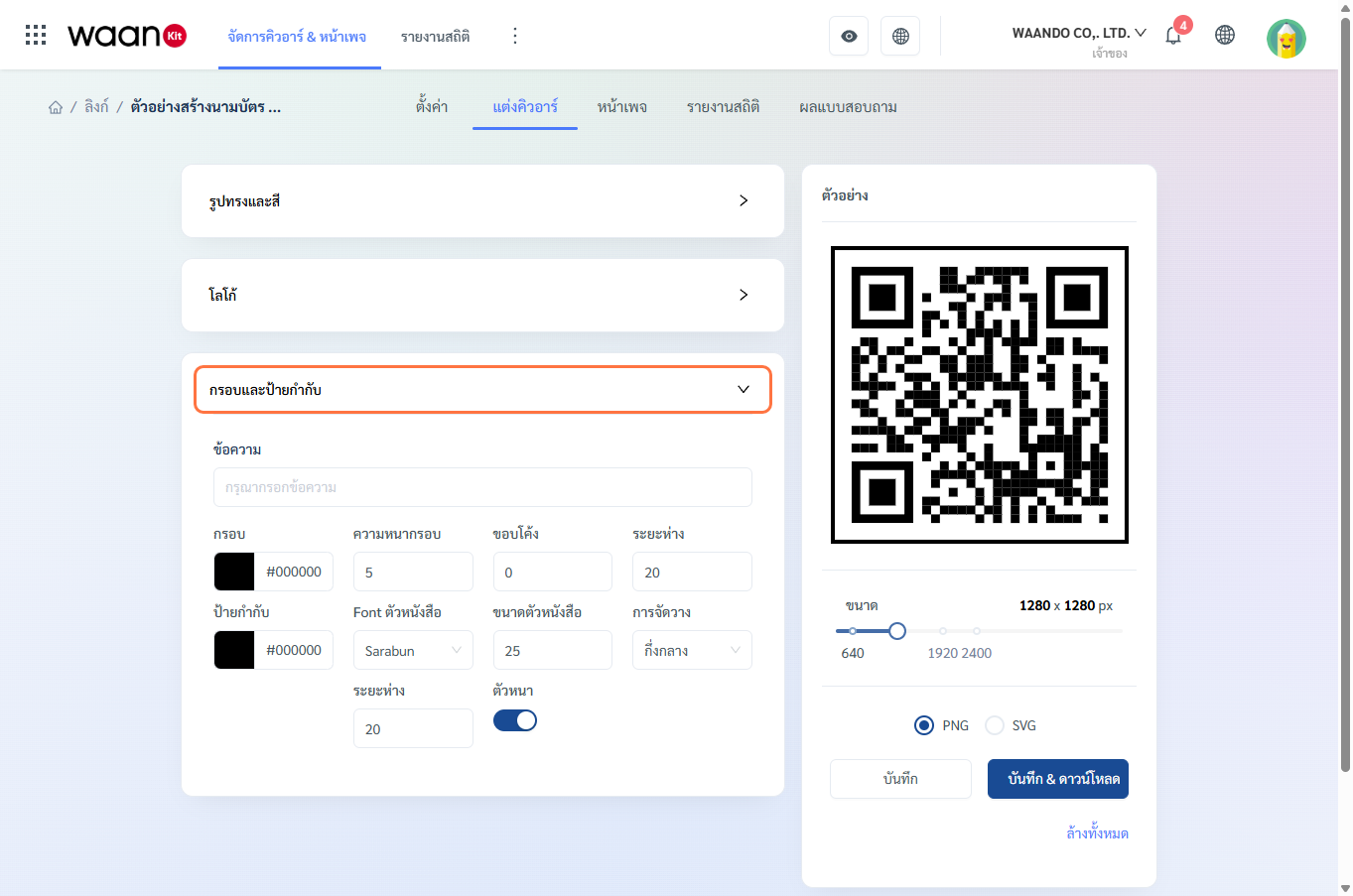
- Message Label: Add text prompts such as "SCAN ME", "View Menu", or "Connect on LINE".
- Frame Options:
- Frame Color: Outer border color.
- Frame Thickness: Border width.
- Curved Edge: Corner radius.
- Frame Padding: Distance between the border and the QR code.
- Typography:
- Font Family: Standard web and Thai typography options (Sarabun, Prompt, Kanit, Noto Sans Thai, Roboto, Open Sans, Lato, Itim).
- Color & Size: Adjust label color and font size.
- Placement: Align Left, Center, or Right.
- Bold Text Switch
4. Live Preview & High-Res Export
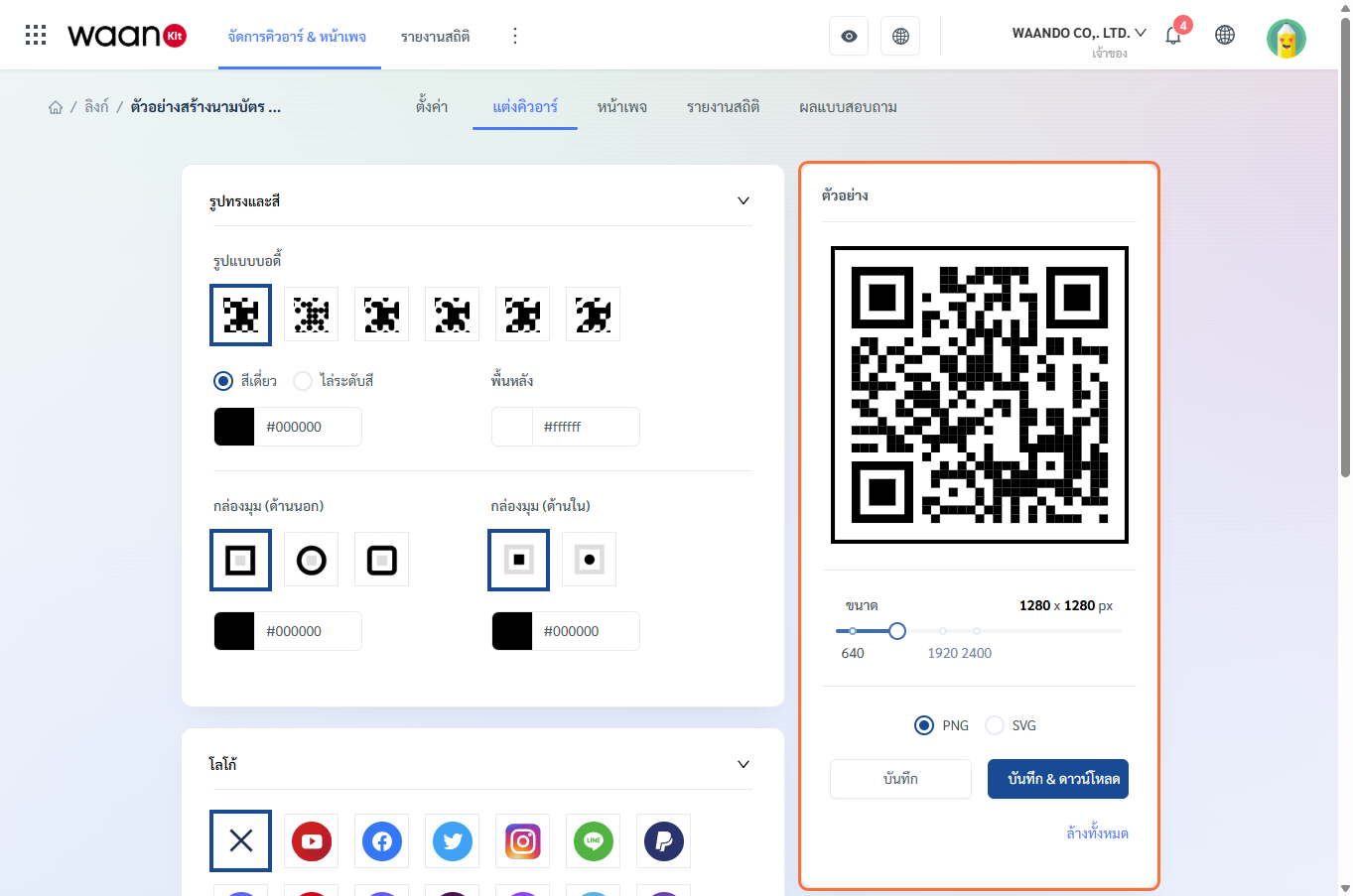
4.1 Real-time Live Preview
All styling changes to shapes, colors, logos, and frames render instantly in the preview canvas.
4.2 Resolution Slider
- Adjustable resolution output from 400 x 400 px to 4,480 x 4,480 px.
- Recommended presets:
640 px(web and mobile),1920 px(medium print),2400 px(large signage).
4.3 Export Formats
| Format | Characteristics | Recommended Usage |
|---|---|---|
| PNG | High-resolution raster file with transparent or solid background | Digital channels, social media posts, websites, presentations |
| SVG | Scalable vector graphic with lossless sharpness at any size | Large format print, store standees, acrylic stands, professional printing |
4.4 Action Controls
- Save: Persists the QR design settings for this link.
- Save & Download: Saves settings and immediately downloads the styled file.
- Clear All: Resets styling to system defaults.
5. Design Guidelines for Reliable Scanning
[!TIP]
- High Contrast: Ensure the QR body is significantly darker than the background.
- Avoid Low-Contrast Palettes: Light pastels on white backgrounds may reduce scanning speed across older camera sensors.
- Transparent Logos: Use logos with transparent backgrounds (PNG/SVG) for cleaner integration.
- Vector Files for Print: Always provide SVG files to print vendors for crisp physical reproduction.